
Descripción
Do you use the WordPress REST API to serve apps, headless front ends or integrations?
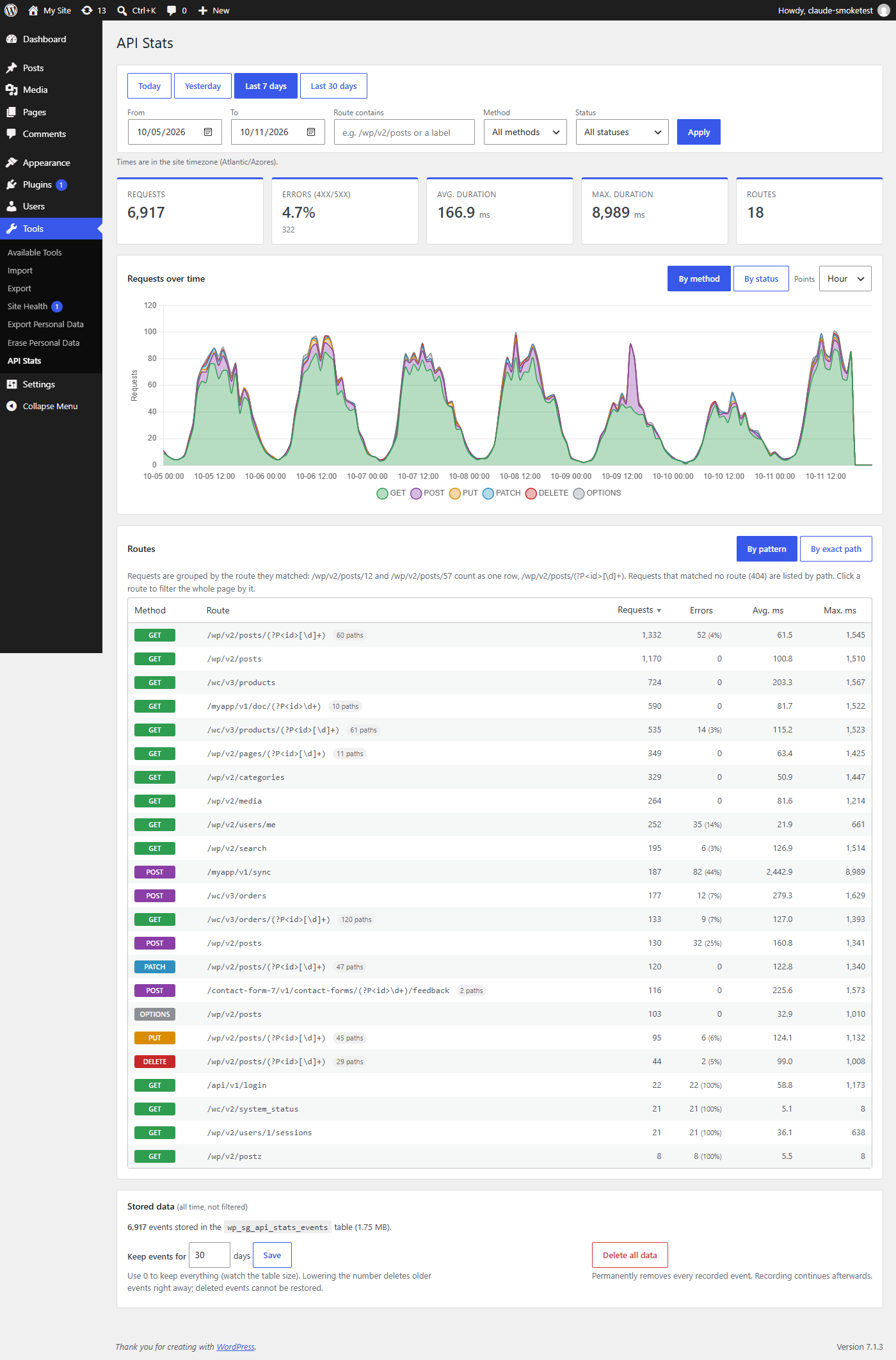
API Stats records every REST API request to your site and shows you what is being called, how often, how fast, and what fails.
Features
- Records every REST route: WordPress core, WooCommerce and any other plugin or custom endpoint
- Requests-over-time chart, broken down by HTTP method or by status (2xx / 3xx / 4xx / 5xx)
- Summary of requests, error rate, average and maximum response time
- Routes table grouped by route pattern (e.g.
/wp/v2/posts/(?P<id>[\d]+)) or by exact path, with error counts and timings - Quick date ranges (today, yesterday, 7 and 30 days) or any custom range, with minute / hour / day / week resolution
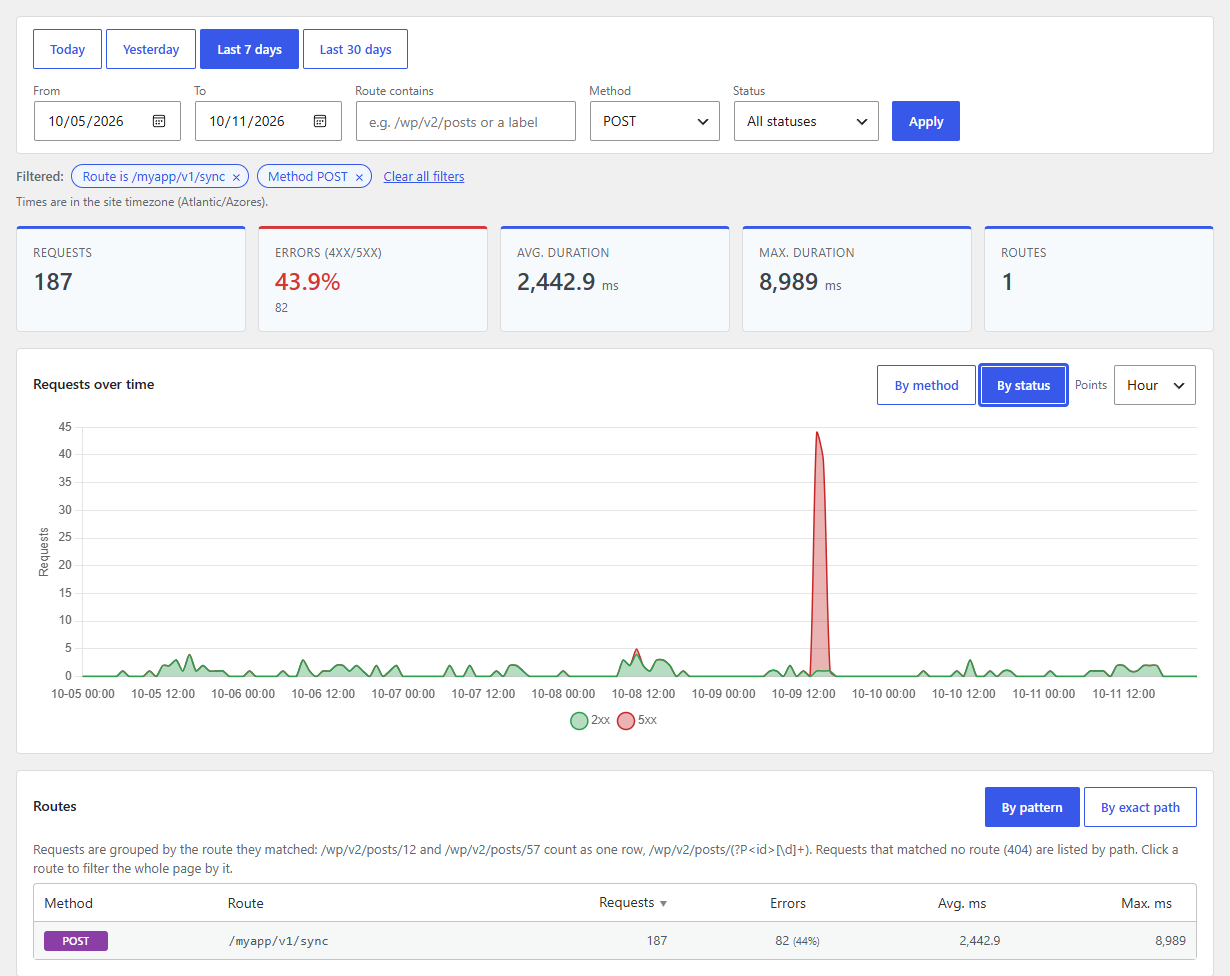
- Filter everything by route (contains or exact), HTTP method and status (e.g. only errors); click a route to drill down
- Configurable data retention, and a button to delete all recorded data
- Developer hooks to skip requests or attach a readable label to them
Stats are under Tools API Stats. Data is stored in your own database; nothing is sent anywhere.
You can view this project on GitHub.
Capturas
Preguntas frecuentes
How long is data kept?
30 days by default. Change it under Tools API Stats Stored data. Set it to 0 to keep data forever (the page shows how big the table is). Old events are removed hourly. Lowering the number deletes older events right away, after a confirmation that tells you how many; deleted events can’t be restored by raising the number again. Developers can also set it in code:
add_filter( 'sg_api_stats_retention_days', function () { return 90; } );How do I delete all recorded data?
Use the “Delete all data” button under Tools API Stats Stored data. Recording continues afterwards. Uninstalling the plugin also removes its table and settings.
Can I stop some requests from being recorded?
Yes, with the
sg_api_stats_should_recordfilter. Return false to skip a request:add_filter( 'sg_api_stats_should_record', function ( $record, $request ) { return 0 !== strpos( $request->get_route(), '/wp/v2/' ); }, 10, 2 );Can I show a readable name next to routes like /myapi/doc/123?
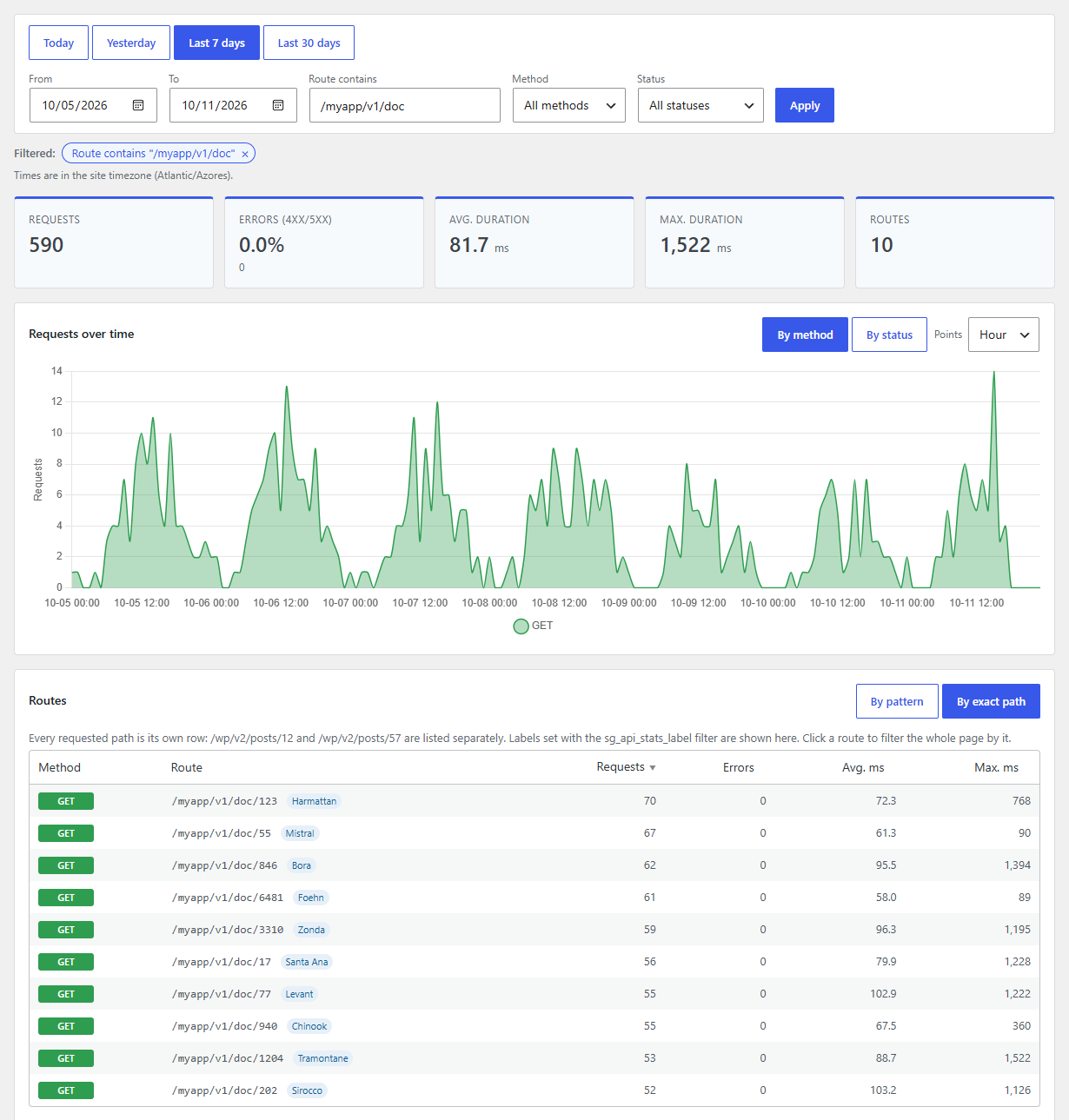
Yes. Return a label from the
sg_api_stats_labelfilter. It is stored with the request and shown in the routes table when grouping by exact path:add_filter( 'sg_api_stats_label', function ( $label, $request ) { if ( preg_match( '#^/myapi/doc/(\d+)$#', $request->get_route(), $m ) ) { return get_the_title( (int) $m[1] ); } return $label; }, 10, 2 );What does “By pattern” mean in the routes table?
Requests are grouped by the registered route they matched, so
/wp/v2/posts/1,/wp/v2/posts/2, … appear as one row/wp/v2/posts/(?P<id>[\d]+)with the number of distinct paths. Switch to “By exact path” to see each URL separately. Requests that matched no route (404) are always shown by path.Which timezone is used?
Your site’s timezone (Settings General). Durations are measured from the start of REST API handling until the response is sent, in milliseconds.
Reseñas


Colaboradores y desarrolladores
“API Stats” es un software de código abierto. Las siguientes personas han colaborado con este plugin.
Colaboradores
Traduce “API Stats” a tu idioma.
¿Interesado en el desarrollo?
Revisa el código , echa un vistazo al repositorio SVN , o suscríbete al log de desarrollo por RSS .
Registro de cambios
2.0
- New: redesigned stats page with summary cards, quick date ranges and a sortable routes table
- New: filter the whole page (cards, chart and table) by route, method and status, e.g. “errors only”; active filters are shown as removable chips and kept in the URL
- New: click a route in the table to drill down into it
- New: chart breakdown by status class (2xx/3xx/4xx/5xx) in addition to HTTP method
- New: routes grouped by registered route pattern, so /posts/1, /posts/2, … count as one route (switchable to exact paths)
- New: error counts and maximum duration per route
- New: configurable data retention (0 = keep forever) and a “Delete all data” button; lowering retention asks for confirmation and shows how many events will be deleted
- New: developer filters sg_api_stats_should_record, sg_api_stats_label and sg_api_stats_retention_days
- Fix: event IDs could overflow after about 8.4 million recorded requests, which stopped recording
- Performance: index on the event time column; old events are deleted in batches
- Database schema is upgraded automatically on update
- Chart.js updated from 2.8 to 4.5
1.5
- Security: escape recorded routes and methods on the stats page (fixes stored XSS via crafted REST URLs)
- Security: strictly validate date and point filters; all SQL queries now use prepared statements
- Faster stats page: chart data comes from a single grouped query instead of one query per point
- Fix: date filters now use the site timezone consistently for both the chart and the routes table
- Filters use the URL (GET), so filtered views can be bookmarked and reloaded
- Routes table limited to the top 200 routes
- Uninstalling the plugin now removes its database table, option and scheduled event
- Text domain changed to wp-api-stats to match the plugin slug (enables wordpress.org translations)
- Requires WordPress 5.3+ and PHP 7.2+
- Tested with WordPress 7.1
1.4
- Update plugin description
- Fix Input sanitization
- Add Feature to display size of data stored in database for API events
- Test with WP 6.4.1