

Descripción
Squircle is a lightweight extension for Elementor that adds CSS corner-shape support to your designs — including squircle, bevel, scoop, and notch shapes.
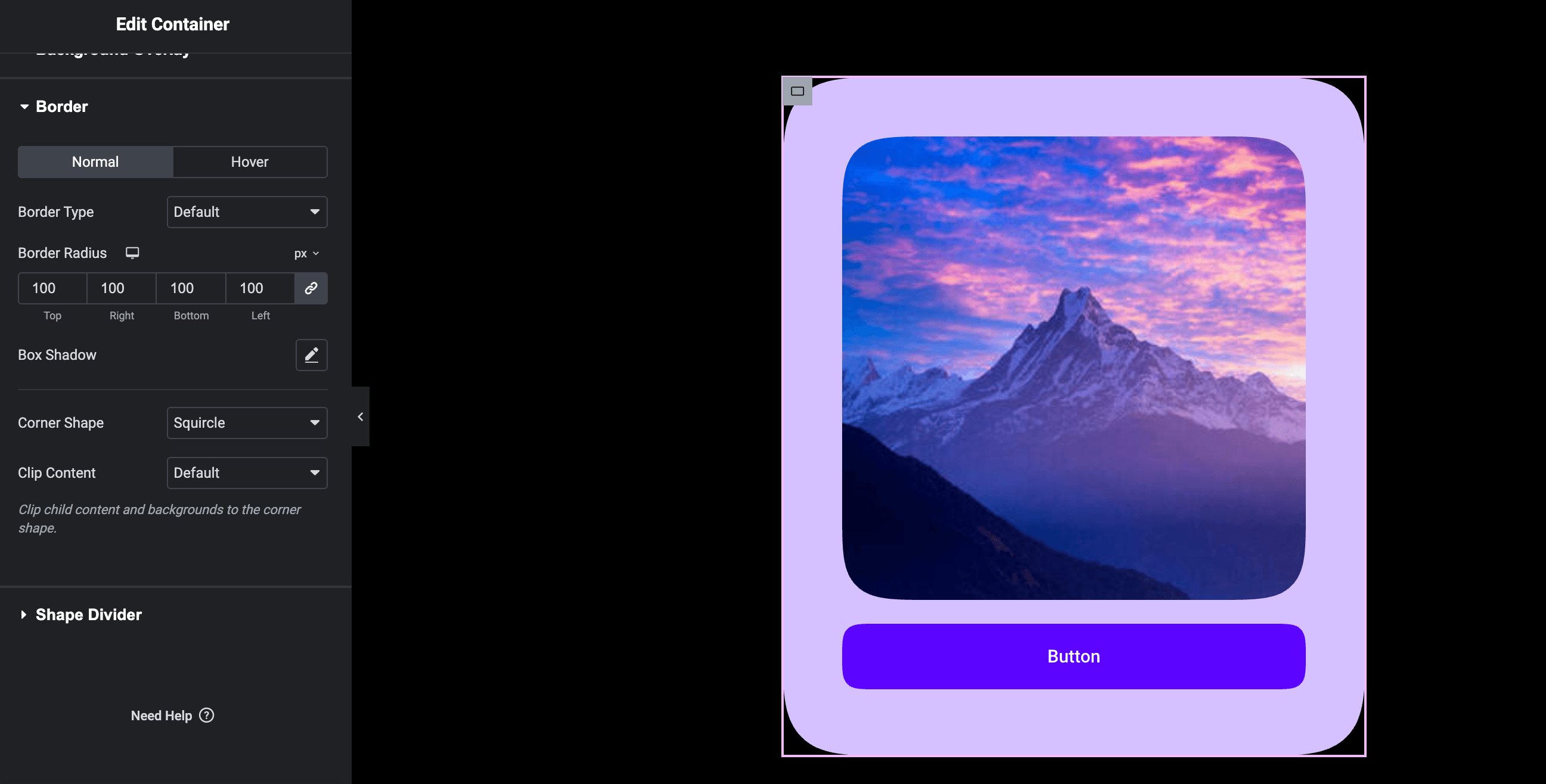
Instead of writing custom CSS, Squircle seamlessly integrates with Elementor’s existing Border controls. Simply select a corner shape, use Elementor’s native Border Radius control, and immediately see the effect applied in both the editor and the frontend.
Squircle leverages the modern CSS corner-shape property to create true superellipse corners, beveled edges, scooped curves, and notched cuts — ensuring optimal performance with zero frontend JavaScript dependencies.
Features
- Multiple Corner Shapes: Choose from Squircle, Bevel, Scoop, and Notch — all native CSS, no SVG hacks.
- Seamless Integration: Native-looking controls injected directly into Elementor’s Style > Border section.
- Progressive Enhancement: Fully compatible with modern Chromium browsers (Chrome, Edge 139+). Gracefully falls back to standard border-radius in unsupported browsers.
- Zero Bloat: No external CSS files, no JavaScript libraries, and no database tables. Everything is handled via Elementor’s core architecture.
- Responsive Design: Inherits Elementor’s responsive border-radius settings automatically.
- Universal Support: Works natively with Containers, Images, Buttons, and most third-party Elementor widgets that use standard border controls.
Capturas
Instalación
- Upload the plugin files to the
/wp-content/plugins/squircledirectory, or install the plugin through the WordPress plugins screen directly. - Activate the plugin through the ‘Plugins’ screen in WordPress.
- Ensure Elementor is installed and activated.
- Open any page in the Elementor Editor.
- Select an element (e.g., Container, Image, Button).
- Navigate to Style > Border.
- Change the Corner Shape control from “Default” to your preferred shape (Squircle, Bevel, Scoop, or Notch).
- Adjust the standard Border Radius control to see the effect. There is no cap — use any value you need.
Preguntas frecuentes
-
Does this require Elementor Pro?
-
No, Squircle works entirely with the free version of Elementor. It is also fully compatible with Elementor Pro if you have it installed.
-
Does this work on all browsers?
-
Squircle uses the modern CSS property
corner-shape. Currently, this is supported in Chromium-based browsers (such as Google Chrome and Microsoft Edge versions 139+). -
What happens in unsupported browsers like Safari or Firefox?
-
Squircle embraces progressive enhancement. In browsers that do not yet support
corner-shape, the element will gracefully fall back to the standardborder-radiusdefined by your Elementor settings. The layout remains fully usable and attractive in all scenarios. -
Will this slow down my site?
-
Absolutely not. Squircle does not enqueue any external stylesheets, JavaScript libraries, or complex SVG masks. It simply injects a single native CSS property into Elementor’s existing stylesheet generation pipeline.
Reseñas
No hay reseñas para este plugin.
Colaboradores y desarrolladores
“Squircle” es un software de código abierto. Las siguientes personas han colaborado con este plugin.
Colaboradores
Traduce “Squircle” a tu idioma.
¿Interesado en el desarrollo?
Revisa el código , echa un vistazo al repositorio SVN , o suscríbete al log de desarrollo por RSS .
Registro de cambios
1.0.0
- Initial public release.
- Added Corner Shape control to Elementor elements.
- Added Clip Content control for overflow handling.