

Descripción
WooCommerce is great for selling online, but it doesn’t produce the PDF catalogs, lookbooks, and line sheets your wholesale buyers, trade show visitors, and email subscribers actually want. Foldsquare fills that gap — and you no longer have to lay one out yourself.
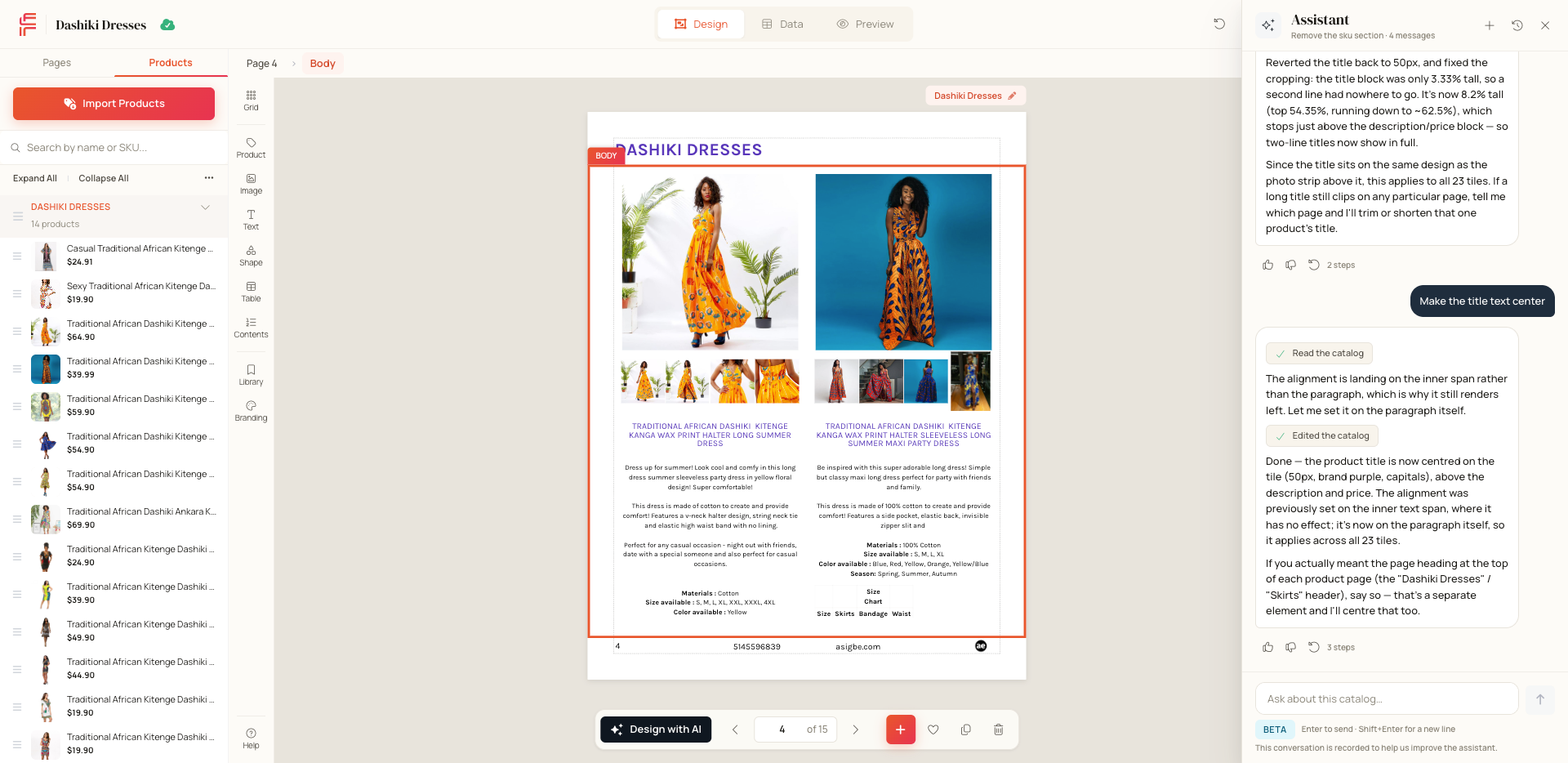
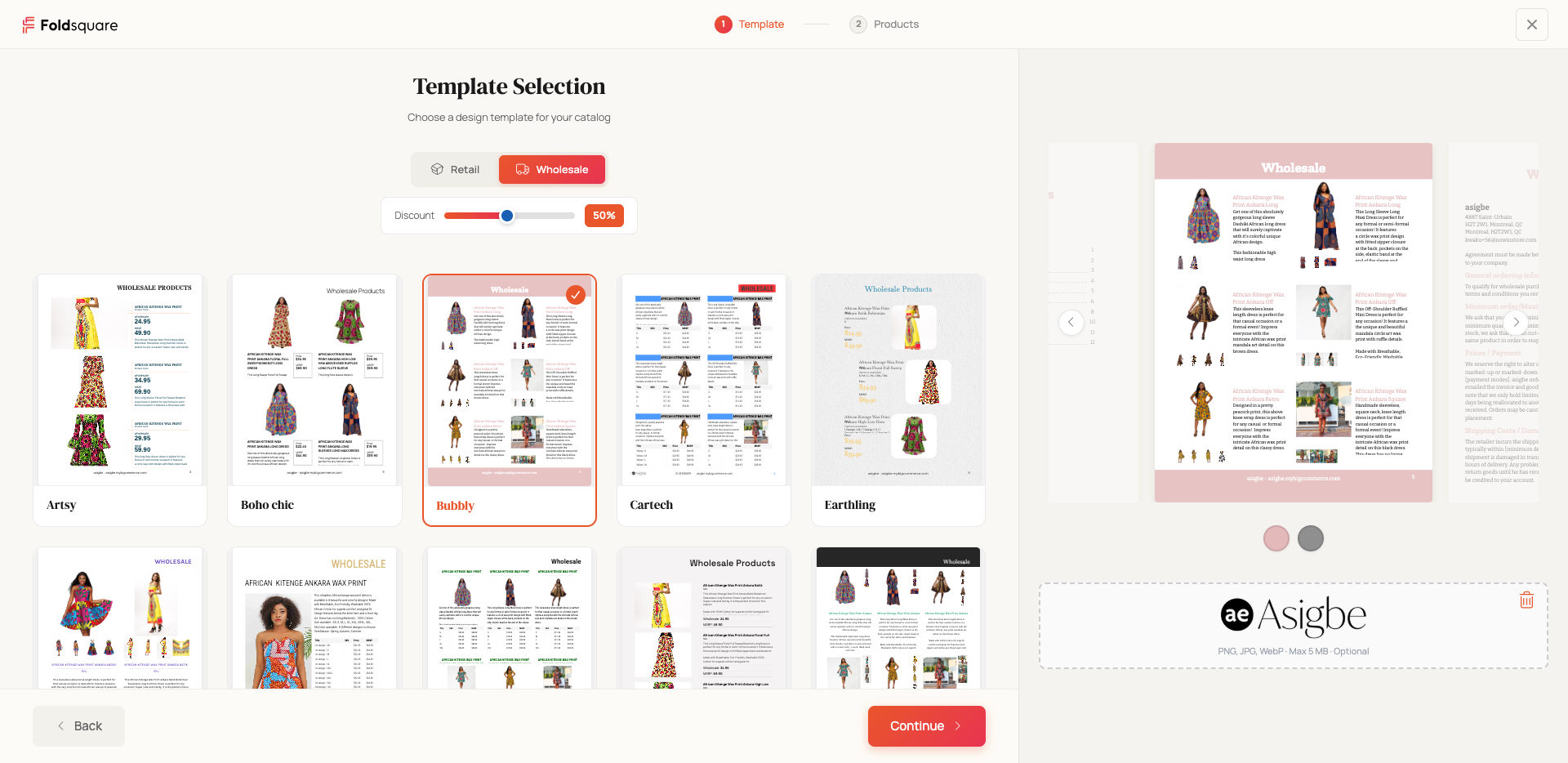
Tell the Foldsquare AI assistant what you need — “a 12-page spring lookbook from my new arrivals”, “a wholesale line sheet at 40% off retail” — and it picks the products out of your WooCommerce store, chooses a template, fills the pages, and hands you a finished catalog. Everything it makes is still yours to edit: nudge a photo, rewrite a heading, reorder the pages, or ask the assistant to do it for you.
Connect your store in one click and your products, prices, images, and categories sync automatically — no CSV exports, no manual data entry, no design software. Whether you run a fashion boutique, a wholesale distributor, or a retail shop, your catalogs stay up to date the moment your store does.
Why store owners choose Foldsquare:
- An AI assistant that builds the catalog for you — Ask in plain language and the assistant searches your products, picks a template, composes the pages, applies your wholesale discount, and publishes. Ask it to swap a product, drop a page, or restyle a spread and it edits the catalog while you watch.
- Automatic product sync — Products, prices, images, descriptions, and categories flow from WooCommerce to Foldsquare in real time via the WooCommerce REST API. Update a product in your store and the change appears in your catalog automatically.
- Professional catalog templates — Start from professionally designed templates for product catalogs, seasonal lookbooks, wholesale line sheets, and promotional brochures. Customize every element to match your brand.
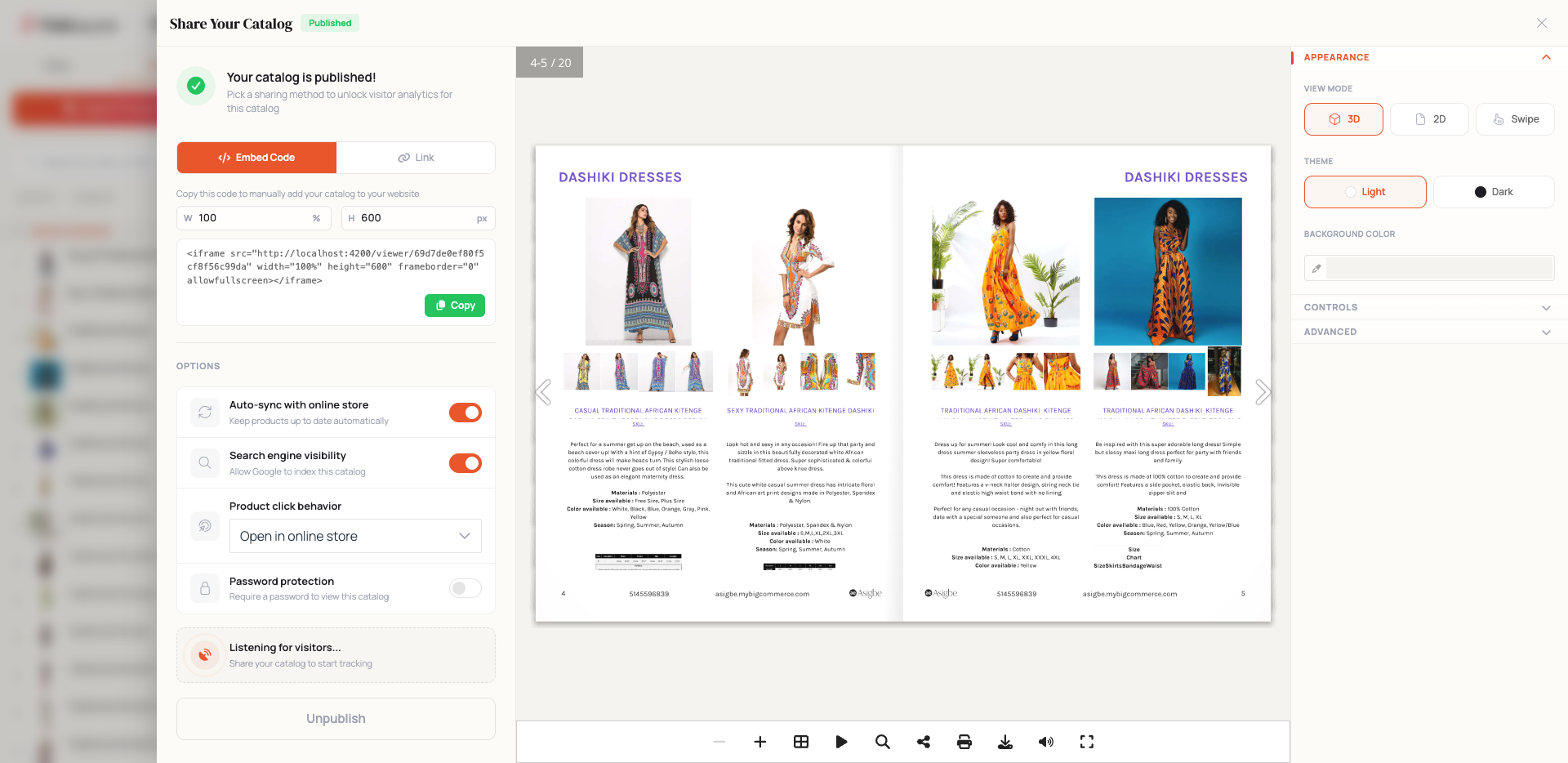
- Print-ready PDF export — Generate high-resolution PDF catalogs ready for professional printing or digital distribution. Share with customers, sales teams, or trade show attendees.
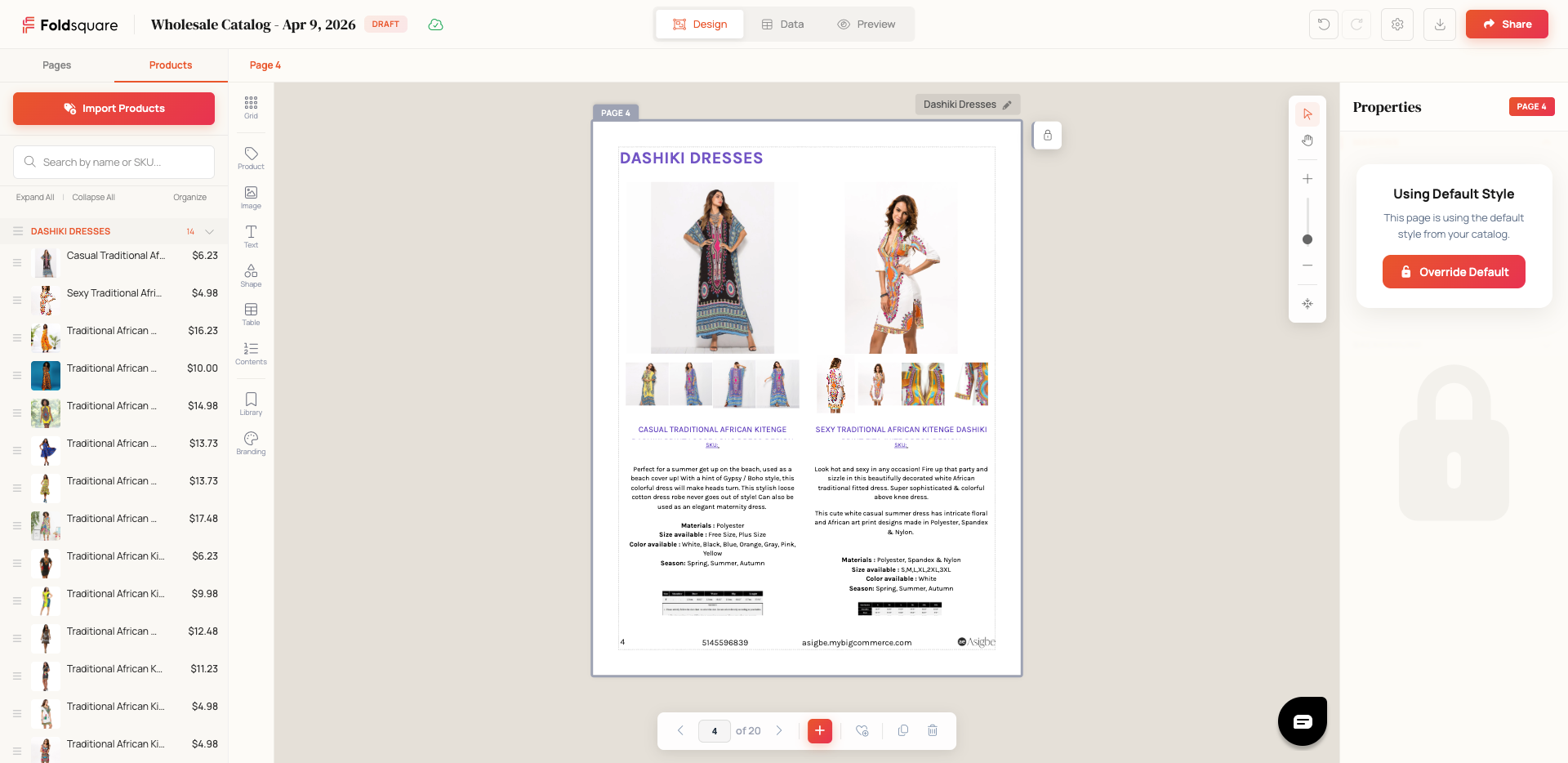
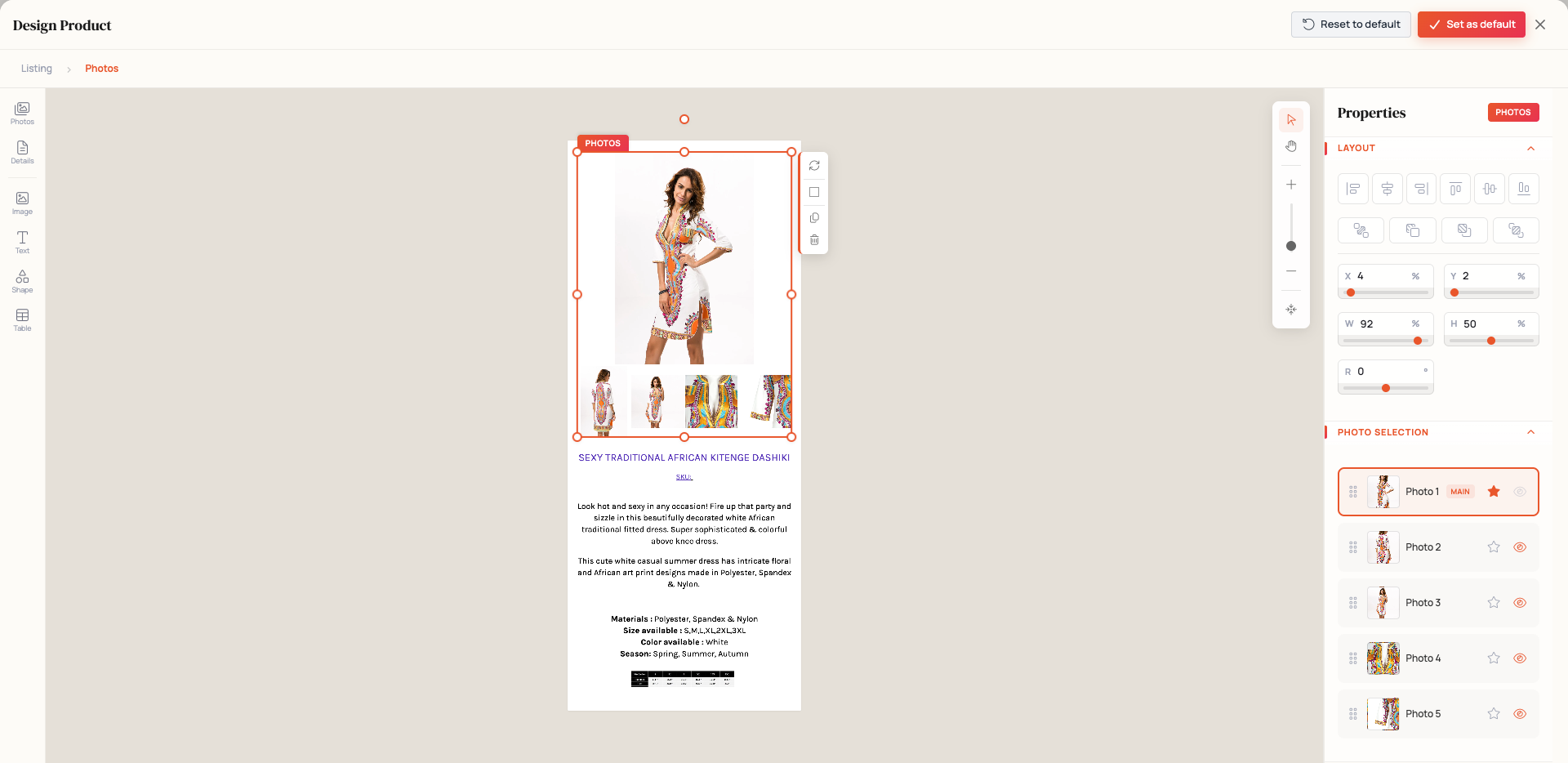
- Full manual control — The AI is a shortcut, not a cage. The drag-and-drop editor is always there, and nothing the assistant does is locked: change any page, any product, any detail by hand.
- One-click connection — No coding, no API keys to copy and paste. Click “Connect to Foldsquare” and your store is linked in seconds.
- Secure and revocable — The plugin creates read-only API keys so Foldsquare can only read your product data. Disconnect at any time from your WordPress dashboard to instantly revoke access.
Built for WooCommerce store owners who need:
- Product catalogs for trade shows, wholesale buyers, or in-store displays
- Seasonal lookbooks showcasing new collections or curated product lines
- Promotional brochures for marketing campaigns or mailers
- Line sheets for wholesale and B2B ordering
- Digital catalogs to embed on your website or share via email
- A finished catalog in minutes, without hiring a designer
How it works:
- Install the plugin — Upload and activate Foldsquare – AI Catalog Maker for WooCommerce from your WordPress dashboard, or install it directly from the WordPress plugin directory.
- Connect your store — Navigate to WooCommerce > Foldsquare and click “Connect to Foldsquare”. The plugin securely links your store using read-only WooCommerce REST API keys.
- Ask for the catalog you want — Open Foldsquare and tell the assistant what to build: which products, how many pages, retail or wholesale. It assembles the catalog from your synced WooCommerce products while you watch. Prefer to do it yourself? The drag-and-drop editor works exactly as before.
- Export and share — Download your finished catalog as a high-resolution PDF, ready for print or digital distribution. Update your catalog anytime — product changes sync automatically.
External Service:
This plugin connects your WooCommerce store to Foldsquare, an external catalog builder service operated by Foldsquare Inc. When you click “Connect to Foldsquare”, the plugin:
- Generates WooCommerce REST API keys (read-only access to products and categories)
- Sends your store URL and API credentials to
https://foldsquare.nowinstore.comover HTTPS - Redirects you to Foldsquare to complete the connection
Catalogs are built and rendered on Foldsquare’s servers, not in WordPress. When you use the AI assistant there, the messages you write and the product data needed to answer them — titles, descriptions, prices, images, and categories read from your store — are processed by a third-party AI model provider acting on Foldsquare’s behalf. The plugin never reads or sends customer, order, or payment data.
When you disconnect, the plugin notifies Foldsquare at https://foldsquare.nowinstore.com/api/v1/auth/oauth/woocommerce/disconnect to revoke the connection on their end.
By using this plugin, you agree to the Foldsquare Terms of Service and Privacy Policy.
Capturas
Instalación
- Upload the
foldsquare-for-woocommercefolder to the/wp-content/plugins/directory, or install through the WordPress plugin screen. - Activate the plugin through the “Plugins” screen in WordPress.
- Ensure WooCommerce is installed and active.
- Go to WooCommerce > Foldsquare to connect your store.
Preguntas frecuentes
-
Do I need a Foldsquare account?
-
A Foldsquare account is automatically created for you the first time you connect your store. Just click “Connect to Foldsquare” from WooCommerce > Foldsquare and you’re ready to go — no separate sign-up required.
-
What can the AI assistant do?
-
It builds and edits catalogs from your own WooCommerce products. Ask it to create a catalog from a category, a search, or a collection; set the page count and the template; apply a wholesale discount; swap or remove products; reorder or restyle pages; and publish or share the result. It works on the catalog in front of you, so every change it makes appears in the editor immediately — and you can undo it.
-
Do I have to use the AI?
-
No. The drag-and-drop editor does everything it always did, and you can build every catalog by hand. The assistant is a faster way to get the first draft, not a replacement for editing it.
-
What does the AI see from my store?
-
Only the product data the plugin already syncs — titles, descriptions, prices, images, and categories — plus whatever you type in the chat. The plugin’s API keys are read-only and scoped to products and categories, so customer, order, and payment data is never available to the assistant.
-
What permissions does Foldsquare need?
-
The plugin creates WooCommerce REST API keys with read-only access. Foldsquare can only read your product data and categories — it cannot modify your store, process orders, or access customer information.
-
Can I disconnect my store?
-
Yes. Go to WooCommerce > Foldsquare and click “Disconnect”. This immediately revokes the API keys and removes the connection on both ends. You can reconnect at any time.
-
Is my data secure?
-
All API keys are transmitted over HTTPS and stored securely on Foldsquare’s servers. The plugin only grants read-only access to products and categories. You can revoke access at any time from the plugin settings page, and Foldsquare deletes the stored credentials upon disconnection.
-
What types of catalogs can I create?
-
Foldsquare supports product catalogs, seasonal lookbooks, wholesale line sheets, promotional brochures, and more. Describe the one you want to the assistant, start from a template, or design from scratch with the drag-and-drop builder. Every catalog can be exported as a high-resolution, print-ready PDF.
-
Does Foldsquare support PDF export?
-
Yes. Every catalog you create in Foldsquare can be exported as a high-resolution PDF suitable for professional printing, digital distribution, or embedding on your website. PDFs are generated with CMYK-ready color profiles for accurate print reproduction.
-
Can I customize the catalog design?
-
Absolutely. The Foldsquare catalog builder gives you full control over layout, typography, colors, and branding. You can customize every element of your catalog — from page dimensions and margins to product card layouts and background images — whether you built it by hand or asked the assistant for it.
-
Does it work with variable products?
-
Yes. Foldsquare syncs all WooCommerce product types, including simple products, variable products with their variations, and grouped products. Product images, prices, and attributes are all available in the catalog builder.
-
How often do products sync?
-
Product data syncs automatically when you open or refresh your catalog in Foldsquare. Any changes you make in WooCommerce — new products, updated prices, changed images — are reflected in the catalog builder without any manual action.
-
Can I use Foldsquare with other e-commerce platforms?
-
Currently Foldsquare integrates with WooCommerce. Support for additional e-commerce platforms is on the roadmap.
Reseñas
No hay reseñas para este plugin.
Colaboradores y desarrolladores
“Foldsquare – AI Catalog Maker for WooCommerce” es un software de código abierto. Las siguientes personas han colaborado con este plugin.
Colaboradores
Traduce “Foldsquare – AI Catalog Maker for WooCommerce” a tu idioma.
¿Interesado en el desarrollo?
Revisa el código , echa un vistazo al repositorio SVN , o suscríbete al log de desarrollo por RSS .
Registro de cambios
1.0.5
- Security: “Open Foldsquare” now signs you in with a signed, short-lived request made when you click, instead of a plain link. Please update: earlier versions can no longer open Foldsquare from WordPress.
1.0.4
- Renamed plugin to “Foldsquare – AI Catalog Maker for WooCommerce”
- Rewrote the listing description around the AI catalog assistant that builds catalogs from your WooCommerce products
- Documented AI processing in the external service disclosure
- Added a screenshot of the assistant, now first in the listing
1.0.3
- Renamed plugin to “Foldsquare – Catalog Maker for WooCommerce”
- Added plugin website link
- Removed Beta promotional messaging
1.0.2
- Updated plugin directory listing — refined tags and rewrote description to better match WooCommerce store owners searching for PDF catalog, flipbook, wholesale, and line sheet tools
1.0.1
- Initial release
- WooCommerce REST API key generation
- One-click connect and disconnect
- Admin settings page under WooCommerce menu