
Descripción
The Product Configurator for WooCommerce allows you to use layers to produce instant visuals for your customers.
Give your customers a great experience, and make your life easy: no need to create many product variations with their images.
Instead, export your layers from Photoshop, a 3D render, or any other source, and allow the user to configure their product using those.
Easily add a product configurator to WordPress, with the plugin Product Configurator for Woo!
You can report bugs or suggestions on the github repository or the support forum.
Features
- Layers: The configurator viewer uses transparent images as layers to create the final product image
- Multiple views: Display the different parts of your products using the multiple views feature
- Multiple steps: Selling complex products? Split your configurator in different steps to make the process easier to understand for your customers.
- Price per option: Charge an additional price for each option that requires it (requires an add-on).
- Form fields: Let your user input data such as text or numbers, as well as send files with their configuration (requires an add-on).
- Calculate complex prices with custom formulas (requires Extra-price and Form fields add-ons)
- Conditional logic: Build complex products, hide or show elements dynamically depending on previous selection or other parameters (requires an add-on).
- Stock management: Manage stock of your configurator items, directly in the configurator, or by linking other products in the shop (requires an add-on).
- Linked products: Link other products in your shop to choices in the configurator. They can be added to the cart to build bundles or complex composite products. Useful for example when linking to an external ERP software (requires an add-on).
- Developer friendly: The configurator and the add-ons all have plenty hooks to extend or modify or add features. While the dev documentation is currently limited, the code source is commented, and you are welcome to open a support request to get guidance would you require.
Available shortcodes
- Configure button:
[mkl_configurator_button product_id=1 classes="button primary"]or [mkl_configurator_button product_id=1 classes=”button primary”]Button name[/mkl_configurator_button] - Inline configurator:
[mkl_configurator product_id=1 classes="container-class something-else"]
Themes
- Choose between different themes, or create your own (developer friendly)
- Change selected colors using the theme Customizer (Appearance > Customize)
Premium addons
This plugin comes without limitations. But if you need more functionalities, look at the available addons:
- Extra Price – Add an extra cost to any of the choices you offer in your configurable products.
- Save your design – Get your customers engaged by enabling them to save the design they’ve made.
- Variable products – Use the product configurator with variable products.
- Multiple choices – Enables multiple choices per layer Ideal for a product’s options, or when having several individual options.
- Stock management / Linked product – Manage the stocks on a choice basis, or link a choice to a product in the shop.
- Conditional logic – Manage the stocks on a choice basis, or link a choice to a product in the shop.
- Form fields – Create forms to collect data associated to your configurable products. Perform complex price calculations in combination with the Extra price add-on.
- For custom needs, contact me here
Capturas
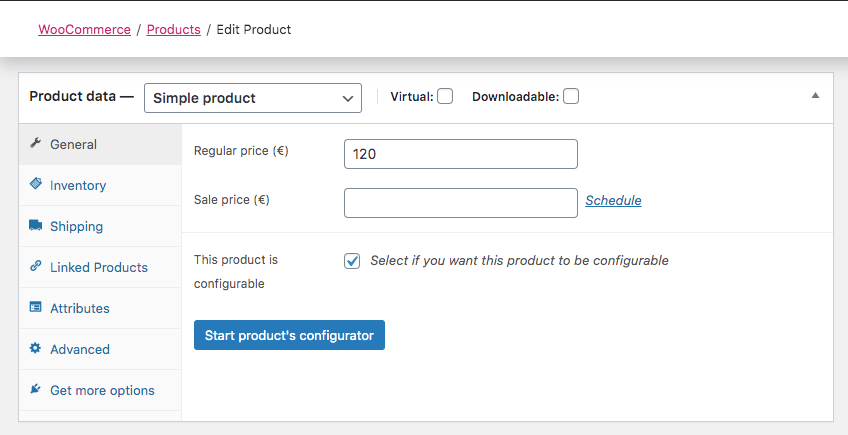
WooCommerce product settings 
Editing a configuration - home screen 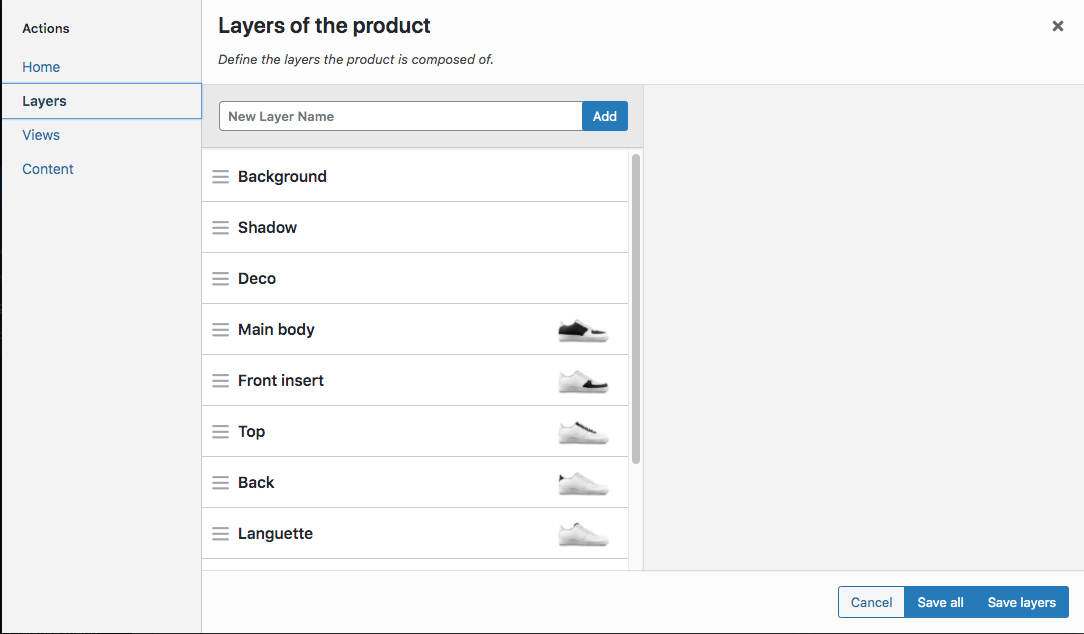
Editing a configuration - Layers screen 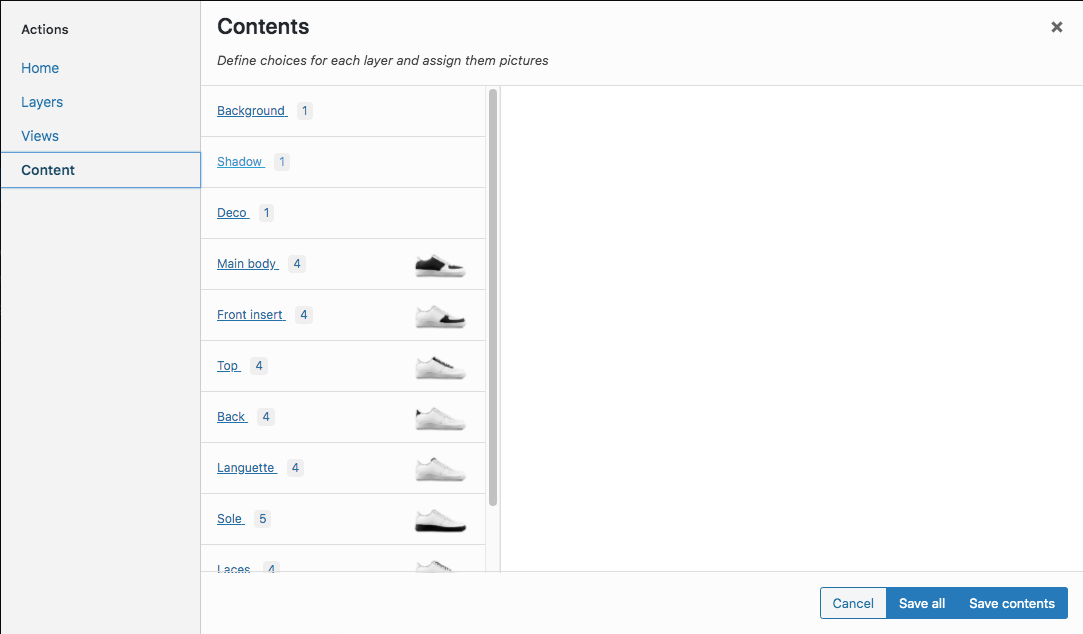
Editing a configuration - Contents screen 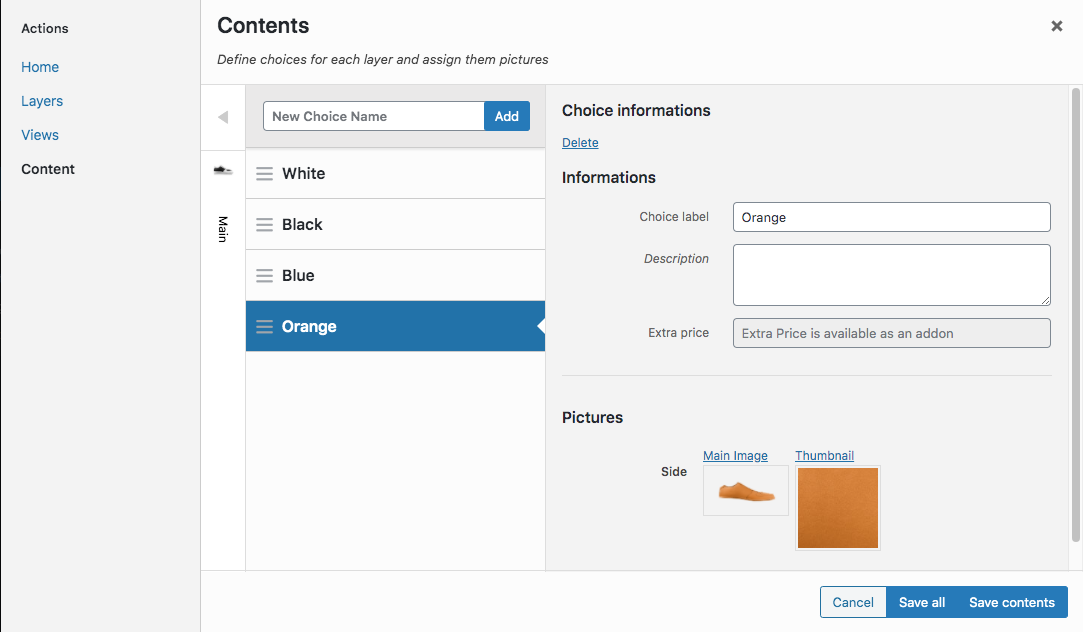
Editing a configuration - Contents screen editing 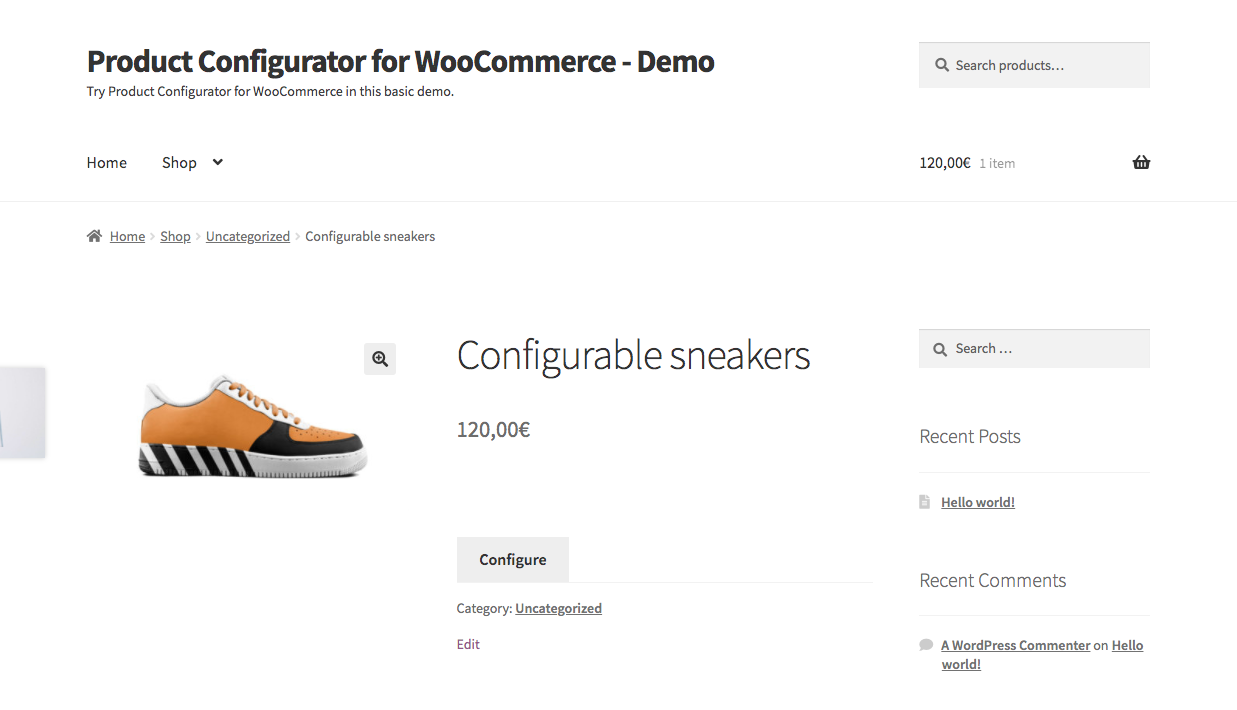
Frontend default: replaces the Add to cart button by a "Configure" button 
Frontend: configuring a product - Default theme 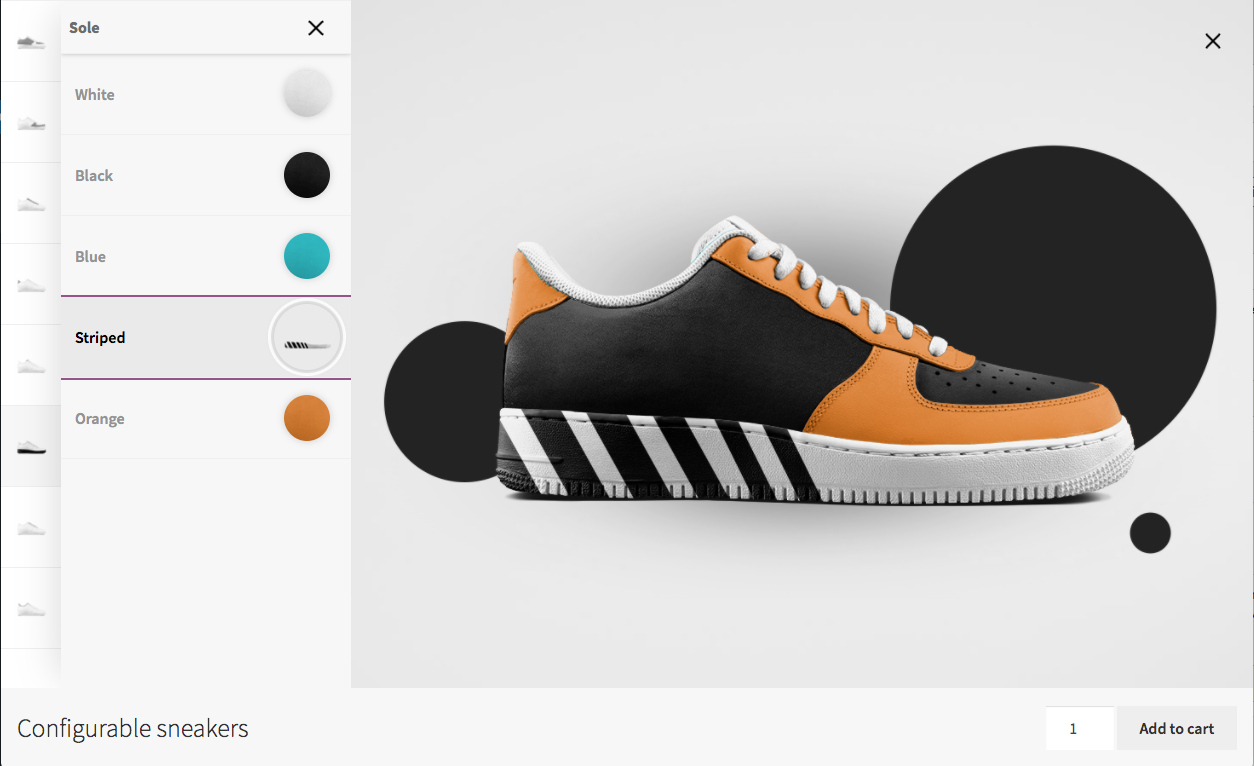
Frontend: configuring a product 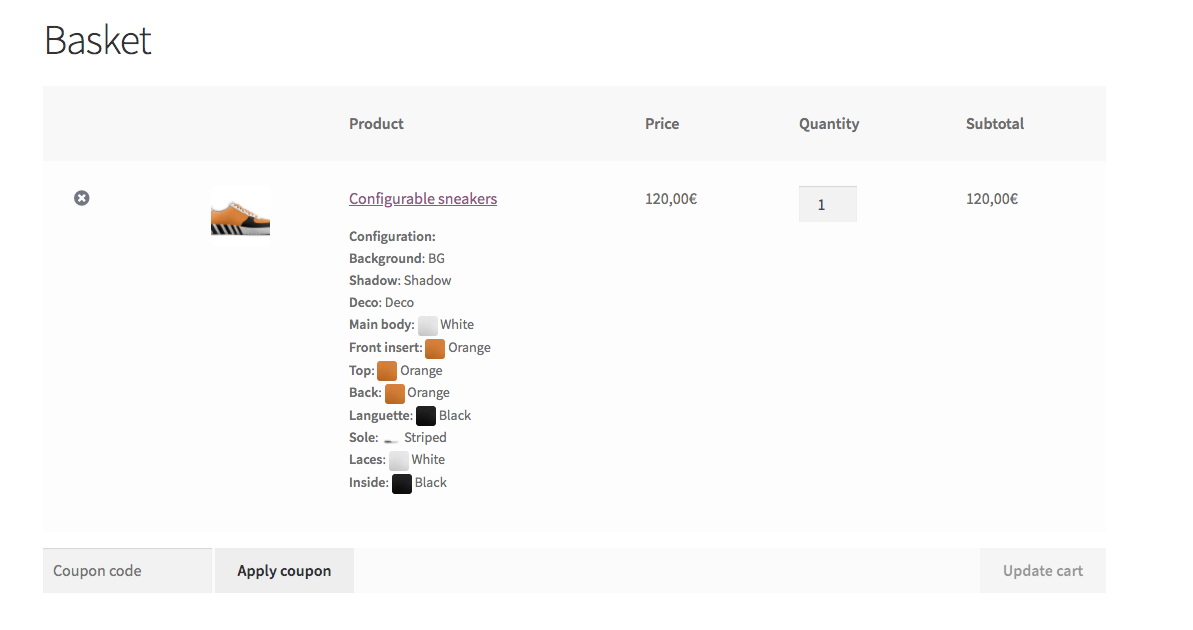
Frontend: configuration in the cart 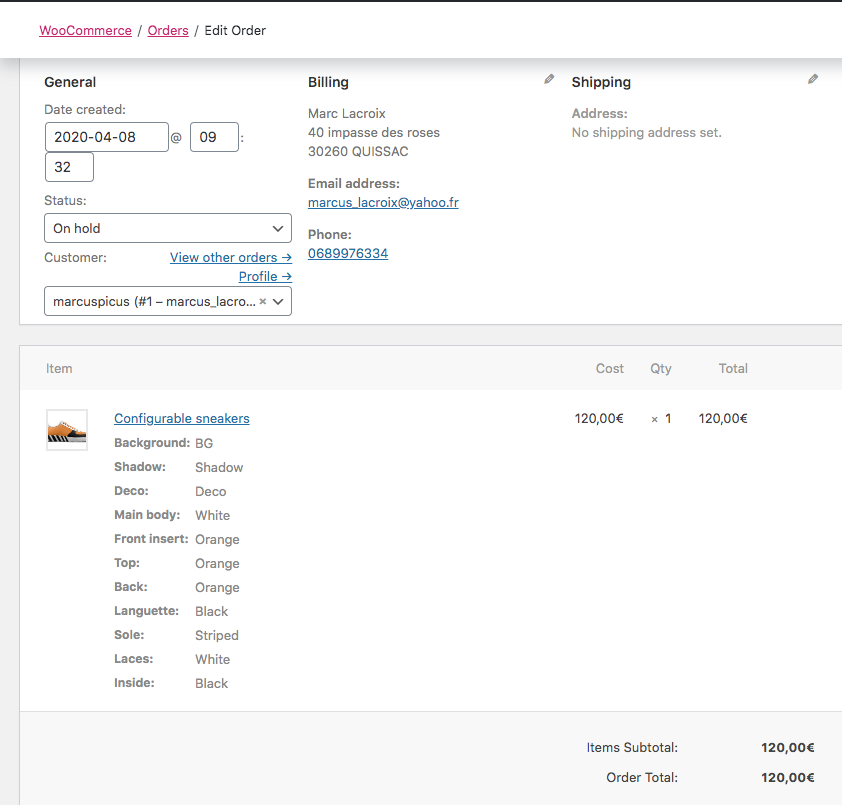
Backend: configuration in the order 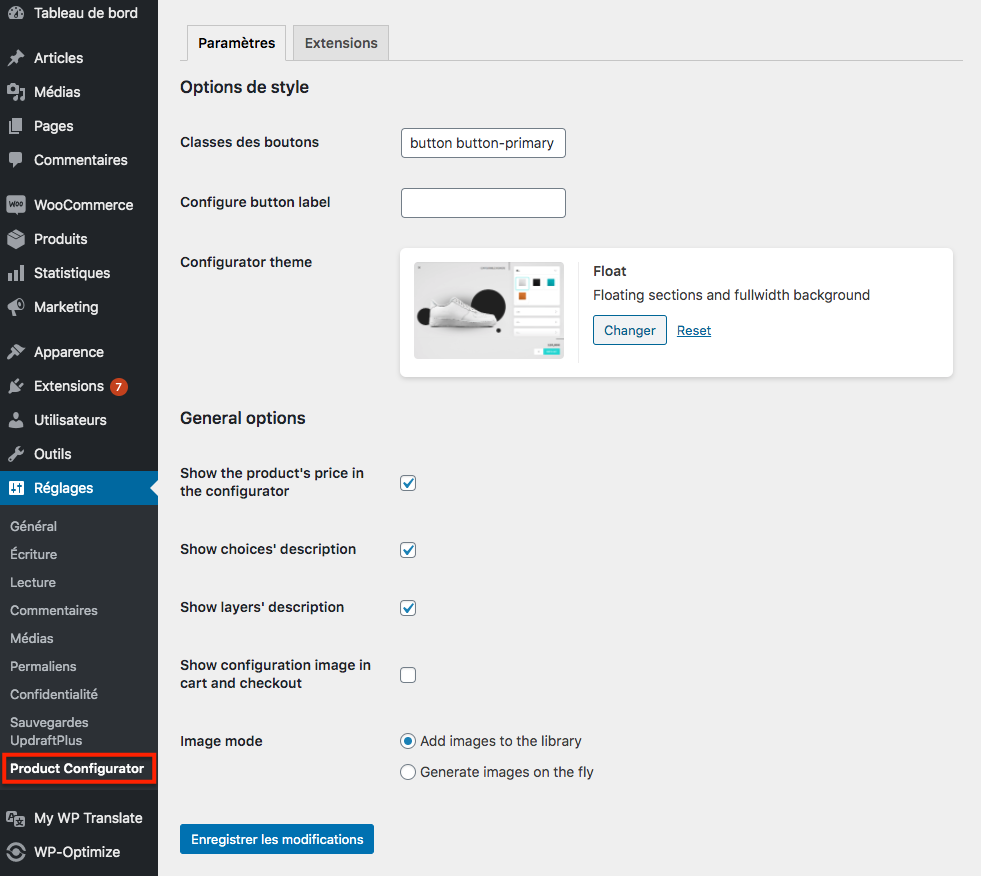
General plugin settings 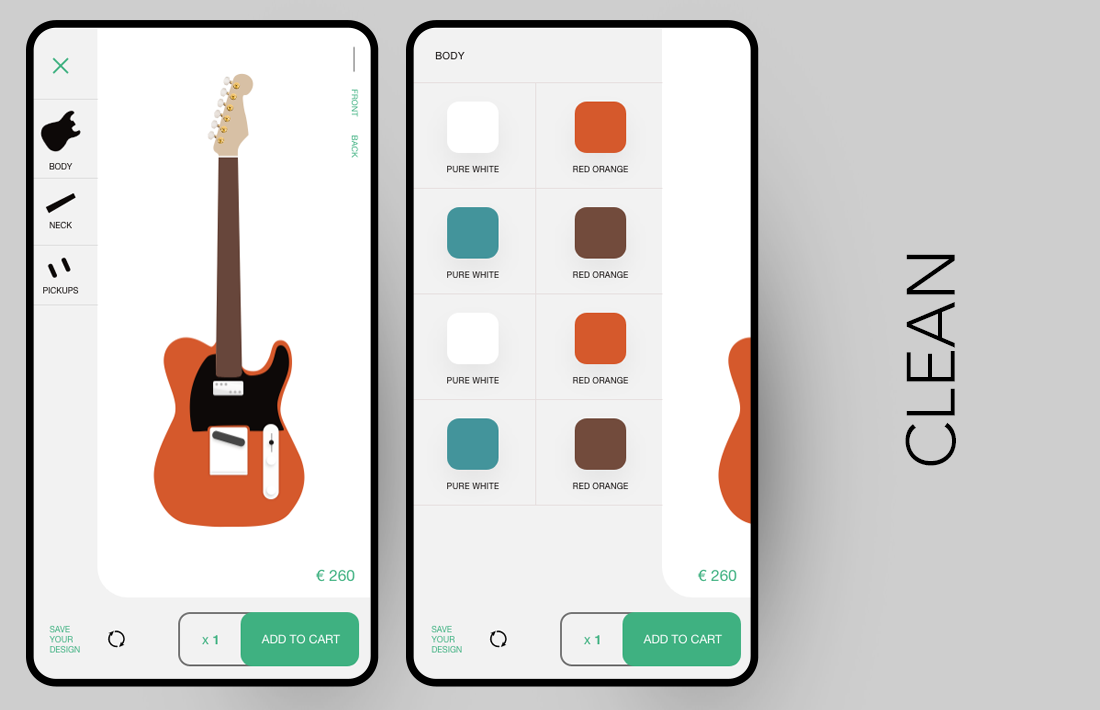
Configurator theme - Clean 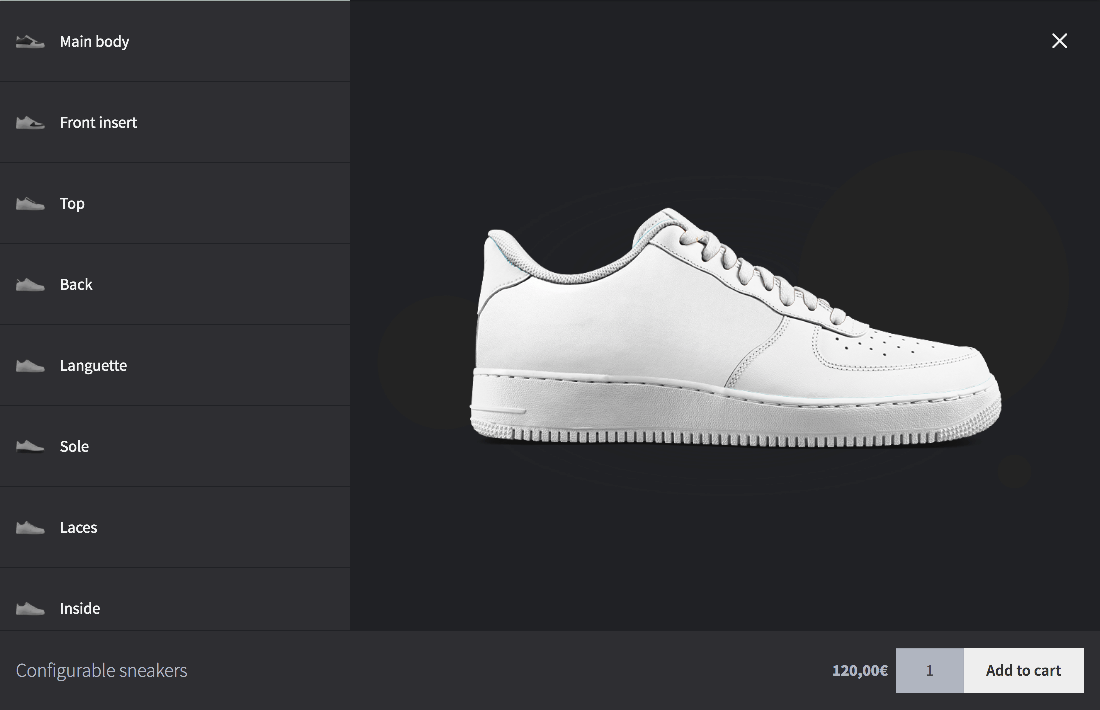
Configurator theme - Dark mode 
Configurator theme - Float 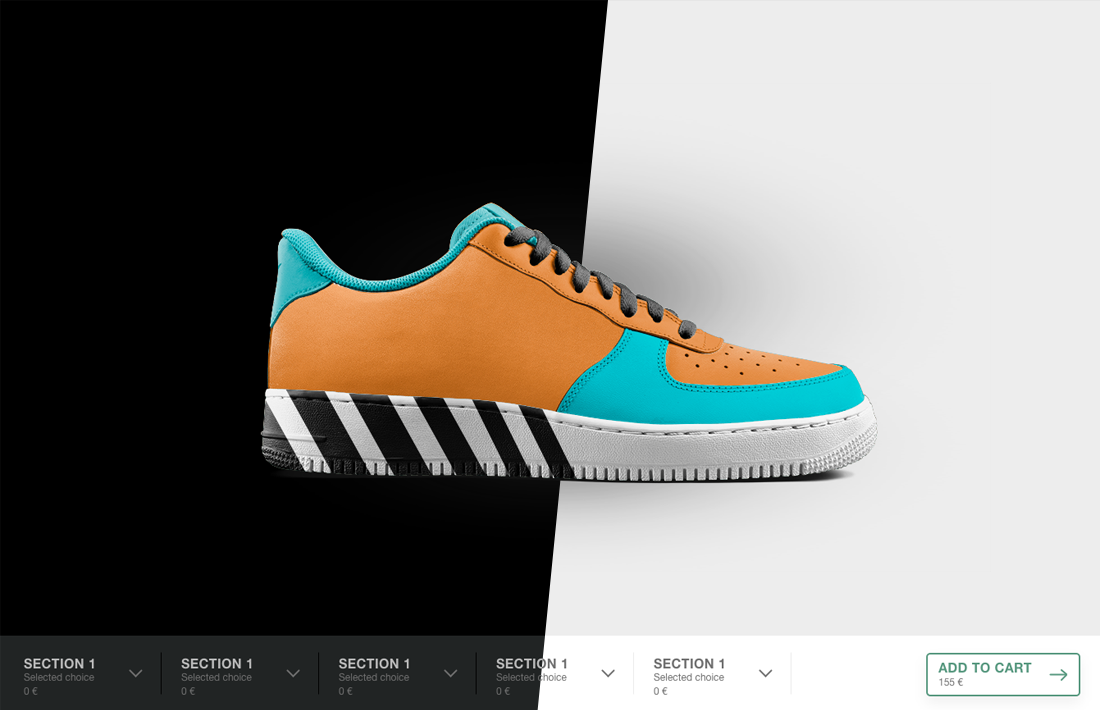
Configurator theme - H 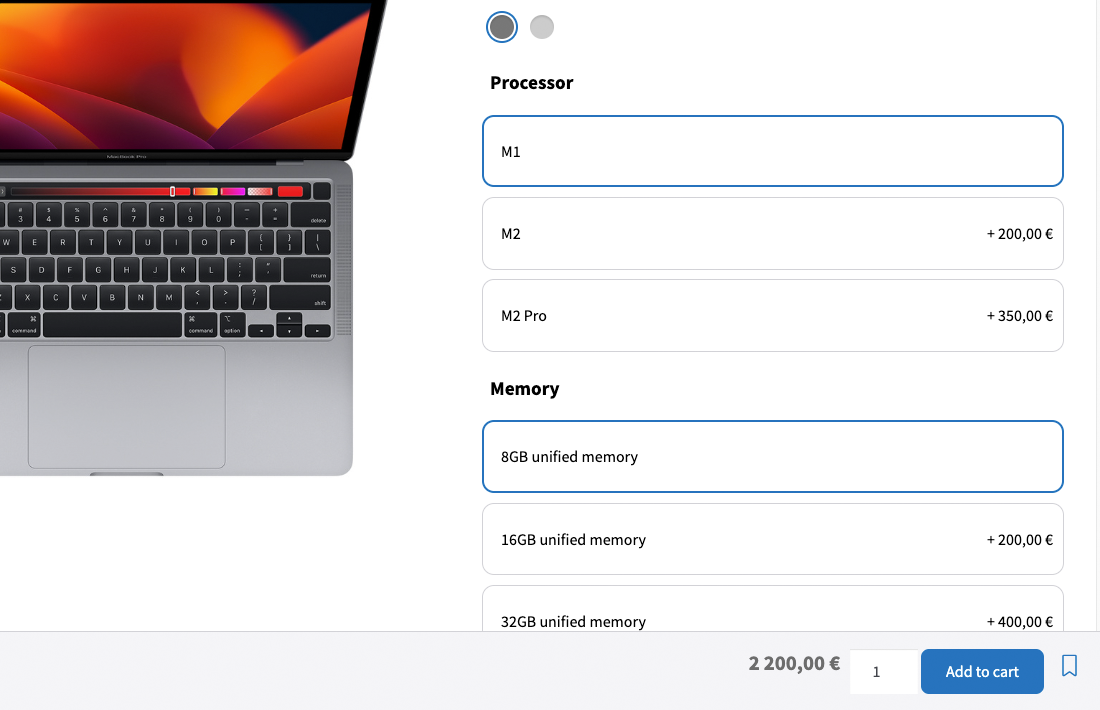
Configurator theme - La Pomme 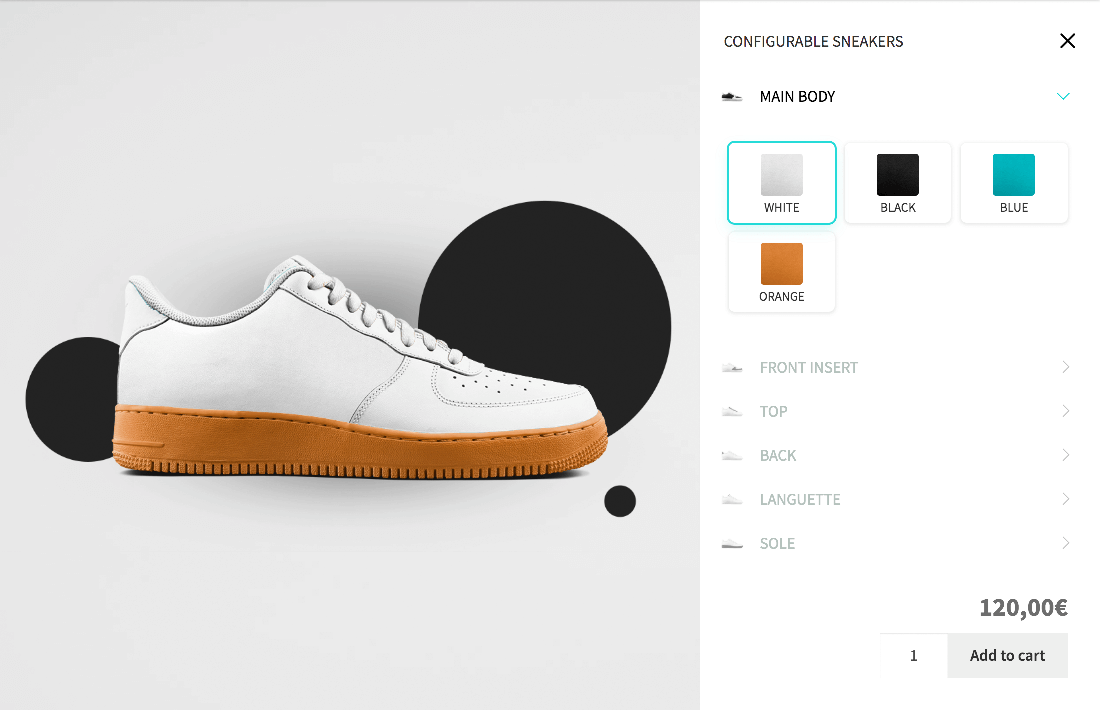
Configurator theme - WSB
Instalación
There are 3 different ways to install this plugin, as with any other wordpress.org plugin.
Using the WordPress dashboard
- Navigate to the ‘Add New’ in the plugins dashboard
- Search for ‘Product Configurator for WooCommerce’
- Click ‘Install Now’
- Activate the plugin on the Plugin dashboard
- Go to the FAQs and watch the “getting started” video
Uploading in WordPress Dashboard
- Download the latest version of this plugin
- Navigate to the ‘Add New’ in the plugins dashboard
- Navigate to the ‘Upload’ area
- Select the zip file (from step 1.) from your computer
- Click ‘Install Now’
- Activate the plugin in the Plugin dashboard
Using FTP
- Download the latest version of this plugin from https://wordpress.org/plugins/
- Unzip the zip file, which will extract the product-configurator-for-woocommerce directory to your computer
- Upload the product-configurator-for-woocommerce directory to the /wp-content/plugins/ directory in your web space
- Activate the plugin in the Plugin dashboard
Preguntas frecuentes
-
I just found the plugin, how do I use the configurator?
-
Watch the get started video on Youtube:
Not enough? Ask your questions on the support forum -
How can I create a custom theme for the configurator?
-
Use the starter theme, which you can find on github with simple instructions to get started.
-
Is the product configurator compatible with WPML or Polylang?
-
Yes, the plugin is compatible with both, and will add localization for the layer and choice fields.
-
How can I optimize the layers in the configurator?
-
We recommend using a plugin such as WP-Optimize for all-round performance improvements:
Reseñas


Colaboradores y desarrolladores
“Product Configurator for WooCommerce” es un software de código abierto. Las siguientes personas han colaborado con este plugin.
Colaboradores

“Product Configurator for WooCommerce” ha sido traducido a 4 idiomas. Gracias a los traductores por sus contribuciones.
Traduce “Product Configurator for WooCommerce” a tu idioma.
¿Interesado en el desarrollo?
Revisa el código , echa un vistazo al repositorio SVN , o suscríbete al log de desarrollo por RSS .
Registro de cambios
1.3.1 – 2/Apr/2024
- Tested up to 6.5
- Bump minimum WordPress required version
- TWEAK: Ignore groups with no selected item when adding to cart
- TWEAK: Summary: Hide in configurator
- TWEAK: added filter PC.fe.steps.display_breadcrumb to prevent display of breadcrumb in the steps mode
- TWEAK: added filter PC.fe.steps.display_breadcrumb to prevent display of breadcrumb in the steps mode
- FIX: Compatibilty with YITH Quote request, where the configurator data would not be added in some instances.
1.3.0 – 17/Feb/2024
- FEATURE: Added an new theme Le Bolide
- FEATURE: Added the possibility for step by step progression for a selection of configurator themes.
- FEATURE: Added the possibility to change the layout in some configurator themes. Whether the number of columns or the size of color swatches.
- NEW: Updated the admin UI
- COMPATIBILITY: Botiga compatibility: quantity input layout, and +/- buttons
- TWEAK: Generated image in the cart defaults to product image when generation fails
- TWEAK: Add live preview to the Cutstomizer options
- TWEAK: Default theme is now part of the themes list
- TWEAK: Removed “add to cart modal” from WSB anf Float, and changed the layout to accomodate all the content
- TWEAK: Added timeout setting for admin requests
- TWEAK: Ajax add to cart support, for themes and plugins using the
adding_to_cartandadded_to_cartevents
1.2.59 – 31/Jan/2024
- FIX: Ajax add to cart support, for themes and plugins using the
adding_to_cartwhen the data is a string and not an object (e.g. Woodmart theme)
1.2.58 – 27/Jan/2024
- TWEAK: Added warning when deleting views, and prevent deleting the last one
- TWEAK: Updated the Format money to not systematically convert currency
1.2.57 – 29/Nov/2023
- FEATURE: Added Supports Swatch size and number of columns on a selection of themes
- TWEAK: Prevent potential fatal error when editing an order in the admin
- TWEAK: Prevent zindex conflict with third party plugins in the admin
- FIX: compatibility issue with Blocksy
1.2.56 – 2/Nov/2023
- TWEAK: Dropdown style changes in Float
- TWEAK: Reset angle when reseting config
- FIX: Error in check preventing configurations to be deleted
1.2.55 – 31/Oct/2023
- TWEAK: Fix selection not applied when a simple layer has “User can deselect a choice” enabled
- TWEAK: Do not save more data if the layer is a group
- TWEAK: MKL\PC\Configuration class improvements
- Tested up to 6.4
1.2.54 – 17/Oct/2023
- TWEAK: Fix CSS issue where colors appeared as selected in layer groups
- TWEAK: Added compatibility with Blocksy’s +- buttons in quantity input
- TWEAK: use minimum and maximum quantity filters for the Quantity input
- TWEAK: Added (partial) compatibility with the cart and checkout blocks.
1.2.53 – 22/Sep/2023
- FIX: Fix issue with multiple choice not deselecting after previous fix attempt
1.2.52 – 21/Sep/2023
- FIX: Fix issue with multiple choice not setting properly when loading a saved configuration
- TWEAK: compatibility with PHP 8.2
- Compatibility with Yith Catalogue mode
- ENHANCEMENT: When selecting multiple items in the admin, it is now possible to group the selected items, as well as reorder them
- TWEAK: Change tooltip container to prevent overlay when scrolling
- TWEAK: Show “Edit cart item” button on mobile (Default and Old default themes)
1.2.51 – 29/Jul/2023
- TWEAK: Fix current_layer toggle when closing all layers
- TWEAK: Added link to full size image in the Admin > Order (link added to the thumbnail)
- FIX: Default label to view configuration not showing in the admin > Order
1.2.50 – 22/May/2023
- FIX compatibility issue with variable products
1.2.49 – 20/May/2023
- COMPATIBILITY: added basic compatibility with YITH Request a Quote for WooCommerce Premium (some features aren’t currently working, such as the configurator extra price, or adding the request to the cart)
- TWEAK: YITH Request a Quote – display configured image in the RAQ cart
1.2.48 – 6/May/2023
- TWEAK: Added old default theme
- TWEAK: WPML – prevent duplicate meta on translated products, causing stale data to be used
- TWEAK: Added the setting “In layer groups, close the siblings when opening an other layer”
- TWEAK: CSS tweaks
- FIX: display of group names in the cart not working as expected
- FIX: method get_image_url sometimes returning an ID instead of an url
1.2.47 – 14/Mar/2023
- Tested up to 6.2
- COMPATIBILITY: added compatibility with YITH Request a Quote for WooCommerce
- TWEAK: Send list of modified choices when saving
- TWEAK: Added a summary view, for future use (code only, not visible in the configurator for now)
- TWEAK: Possibility to disable GZIP compression of the configuration data
1.2.46 – 28/Feb/2023
- FIX: Prevent fatal error when the product object isn’t found
1.2.45 – 24/Feb/2023
- TWEAK: Various tweaks and improvements, and new hooks.
- TWEAK: Possibility to toggle choice groups
- TWEAK: Display angle switch option on layer groups
1.2.44 – 04/Jan/2023
- TWEAK: Listen to the setting “Hide this layer in the menu”, to be able to toggle the layer visibility in the menu only using Conditional Logic
- TWEAK: Added hooks in the choice-group template
- TWEAK: Fixed weight calculation logic
- TWEAK: Added a filter to the SKU mode, to allow changing the SKU mode per product:
apply_filters( 'mkl_pc/sku_mode', $mode, $product )
1.2.43 – 05/Dec/2022
- TWEAK: Group description CSS tweaks (default theme and Dark Mode theme)
- TWEAK: Redesign settings page
- TWEAK: Render selected option when Layer cshow change
- COMPAT: Improved compatibility with TranslatePress, with the possibility to translate strings in the configurator to prevent Dynamic translation and its possible issues
1.2.42 – 30/Nov/2022
- THEME: Added a new theme: La Pomme (demo)
1.2.41 – 15/Nov/2022
- TWEAK: Only show image download link if the order is completed
- TWEAK: Various tweaks, filters and JS methods added
1.2.40 – 28/Oct/2022
- FEATURE: Possibility to swipe the viewer to change view
- FIX: Order summary may not be displaying correctly in the admin on older orders
- TWEAK: Possibility do display the group name in the selected item list in the configurator
- TWEAK: Do not disable the add to cart button if the current product is not configurable
1.2.39 – 21/Oct/2022
- REVERT: Revert change in which the order data is dynamically displayed in the admin, which made it difficult for configuration in orders to be edited
- TWEAK: Improved error management in the front end, giving the possibility to display the error in its context (only for form fields at the moment)
1.2.38 – 20/Oct/2022
- FIX: Issue with checkboxes in the choice settings
- FIX: Import broke when the configuration contained conditional information and the conditional logic add-on was not installed
- TWEAK: added action mkl_pc/wc_cart_add_item_data/adding_choice, called when a choice is added to the cart item
1.2.37 – 12/Oct/2022
- TWEAKS: When selecting choices of layers contained in a group layer, add the selected items to the group header
- TWEAKS: Various tweaks and fixes
1.2.36 – 27/Aug/2022
- FEATURE: Possibility to hide a layer menu in the configurator (useful mostly together with conditional logic)
- FEATURE: Possibility to show a group label in the cart
- TWEAK: Fix double addition of items to the cart
- TWEAK: Better image preloading when hovering a choice
1.2.35 – 17/Jul/2022
- TWEAK: Added automatic scroll setting to make automatic scroll optional on WSB and Float
- TWEAK: Fix static image classes
- TWEAK: Fix delete configuration method
- TWEAK: Change language logic for the cart and checkout
1.2.34 – 4/Jul/2022
- TWEAK: Possibility to automatically open the first layer
- TWEAK: Added labels in the settings
- TWEAK: Added automatic scroll for WSB and Float when opening a layer
- TWEAK: Possibility to force the add to cart form in the shortcode, to allow using a different product’s shortcode on a single product page, by adding
force_formto the shortcode. - TWEAK: Show an error message when the configurator data is incomplete
- TWEAK: Possibility to choose which view is used in the generated image in the cart
- TWEAK: Increase the configurator’s z-index when using Divi
- TWEAK: Move the inline JavaScript from the themes to their own files
- TWEAK: Exclude the configurator scripts and dependencies from Async/Defer loading in SiteGround optimizer
- TWEAK: Change sanitize function for name fields and translated fields to prevent duplication of postmeta when using WPML
1.2.33 – 2/Jun/2022
- TWEAK: WPML compatibility: Sync custom fields after saving the configuration data
1.2.32 – 1/Jun/2022
- SECURITY: Fix arbitrary file deletion vulnerability
- TWEAK: WPML compatibility: possibility to translate the configurator settings (via WPML “String translation” section)
- TWEAK: Fix error message not displaying in the admin
- TWEAK: Possibily to toggle the visibility in the media library of the configuration images generated by the plugin
- TWEAK: Do not load Intervention\Image if the server does not support it, to prevent Composer warnings
1.2.31 – 27/Apr/2022
- FEATURE: Possibility to download an order’s configuration from the admin or My account
- FEATURE: Possibility to open an order’s configuration from the admin or My account
- TWEAK: Add basic compatibility with WooCommerce’s Ajax add to cart
- TWEAK: Force HTTPS for configuration file when the site URL is misconfigured
- TWEAK: Woocommerce Add To Quote plugin – close configurator if the setting is enabled
- FIX: Prevent saving the configuration image over and over again when it’s made of only one existing image
1.2.30 – 5/Apr/2022
- FIX: Conditional logic compatibility (admin ux issue)
1.2.29 – 30/Mar/2022
- FEATURE: Added the possibility to group layers
- TWEAK: Added a setting to allow deselecting choices on a per layer basis
- TWEAK: Resize images when using the method to generate on the fly.
- TWEAK: Possibility to nest groups
- TWEAK: Updated composer dependencies
- FIX: Editing a group’s title doesn’t break the group’s layout in the admin
1.2.28 – 3/Mar/2022
- TWEAK: Fix SKU display in cart
- TWEAK: Fix order meta formatting
- TWEAK: Possibility to hide a layer in the cart / order while still using it in the configurator
- TWEAK: Possibility to hide a layer in the cart / order if a specific choice is selected
1.2.27 – 15/Feb/2022
- TWEAK: Possibility to disable toggling of the layers on the theme WSB (show the contents of all layers).
- FIX: Height of the layers on mobile, on the theme Clean
1.2.26 – 7/Feb/2022
- FIX: add to cart button not displaying when embeding the shortcode
1.2.25 – 7/Feb/2022
- COMPAT: Added compatibility with Addify “Request a Quote for WooCommerce”
- TWEAK: Change toJSON method to avoid conflicts
- TWEAK: Compatibility with the theme Savoy: plus and minus buttons change quantity
- TWEAK: Fix image order in the order (it was fixed in the cart previously)
- TWEAK: H theme styling tweaks and fixes
- TWEAK: Remove limit in get_configurable_products request
- TWEAK: Fix missing dependency in the newly added Clean theme
1.2.24 – 19/Jan/2022
- NEW THEME: Introducing the new Clean theme
- FEATURE: Added display modes for the layers: Small color, Dropdown
- TWEAK: Possibility to add image to checkout and email when not already added by the theme or an other plugin
1.2.23 – 14/Jan/2022
- TWEAK: Fix language namespace on missing string
- TWEAK: Add action in the reset button
- TWEAK: Prevent potential error when using Price Based on Country Lite
- TWEAK: Allow clicking on links in the layer header description
- TWEAK: Add an error when no choice is selectable for a layer. E.g. when all the choices in a layer are out of stock
1.2.22 – 23/Dec/2021
- FEATURE: Added an import/export feature
- TWEAK: Better compatibility with WPML
- TWEAK: Added weglot no-translate attribute on JS templates
- TWEAK: Check if the
open_configuratoris in the URL using JS - TWEAK: Added Price Based on Country round to nearest for extra prices
- TWEAK: Don’t show the configure button if the product isn’t purchasable
1.2.21 – 15/Dec/2021
- FEATURE: Possibility to edit the configuration from the cart
- TWEAK: Set price to 0 if was not found
- TWEAK: Compatibility with Weglot
- TWEAK: Prevent lazy loading on the generated images in the order
- TWEAK: Better compatibility between variable products and the conditional logic add-on
1.2.20 – 29/Nov/2021
- FEATURE: Added a reset button (go to Settings > Product configurator to enable it)
- FEATURE: Added a tool to find missing images after a product import.
- TWEAK: Moved the price in the HTML instead of the JSON data, to improve compatibility with multi currency shops
- TWEAK: UI tweak: add sections in the choice settings
1.2.19 – 18/Nov/2021
- FEATURE: Possibility to select any choice by default
- FEATURE: Added 2 SKU modes: individual (one SKU per selected choice) and compound (One SKU made of all the choices)
- TWEAK: Add compatibility with Porto’s quantity input
- FIX: Conditional logic compatibility: ignore selected items if they are in a hidden group when adding them to the cart
- FIX: Fix multiple choice and conditional logic compatibility
- FIX: Add to cart issue on some themes missing the class ‘single_add_to_cart_button’
1.2.18 – 01/Oct/2021
- FEATURE: Possibility to display the thumbnail of the selected item instead of the layer icon
- TWEAK: Possibility to close the layers on desktop as well as mobile
- TWEAK: Added filter mkl_pc_do_not_override_images – Filters whether or not to override the images using the ID and the image size specified in the settings. Returning True will use the URL saved in the database, allowing for example to bulk edit URLs without worrying about the attachment ID.
- TWEAK: Improve TranslatePress compatibility
1.2.17 – 17/Sep/2021
- FIX: Re-disable
ajax_add_to_cartfeature, which was commented by mistake in the previous release - FIX: Reset the default active choice in JS as well as PHP
1.2.16 – 27/Jul/2021
- FEATURE: Possibility to use HTML [instead of / with] images
- TWEAK: Load generated images asynchronously
- TWEAK: Translate the Selected choice
- TWEAK: Various multi-currency tweaks
- TWEAK: Added various filters and tweaks
- TWEAK: Add compatibility with “Yith Added to cart popup”
- TWEAK: Refactor configuration display in the order
1.2.15 – 09/Jun/2021
- TWEAK: Admin – Possibility to select and delete several items at a time, using ctrl or shift + click
- TWEAK: Tweak admin z-index for compatibility with Divi
- TWEAK: Do not Gzip content on LiteSpeed servers
- TWEAK: Prevent Required field error to be shown when a layer is hidden by conditional logic action
1.2.14 – 17/May/2021
- FIX: Error in compatibility with Price Based on Country
- TWEAK: Enqueue PIXIjs
1.2.13 – 10/May/2021
- NEW THEME: Introducing the new H theme
- TWEAK: Compatibility with Price Based on Country
- TWEAK: Compatibility with GTranslate Premium
- TWEAK: Make sure the existing thumbnail is fetched
- TWEAK: Fix close button position on some themes
- TWEAK: Fix image order in the cart
1.2.12 – 7/Apr/2021
- TWEAK: Layer and choice names to support basic HTML
- TWEAK: Only use cached configuration when a user is not admin
- FIX: Fix header styling in several themes on mobile devices
1.2.11 – 7/Apr/2021
- FIX: Duplicating layers kept the link between the images
- FIX: Reordering images didn’t always work as expected
1.2.10 – 5/Apr/2021
- FEATURE: Possibility to duplicate layers and content
- FEATURE: Possibility to make a layer selection mendatory
- TWEAK: Show configuration image in order email and admin
- TWEAK: Added the possibility to specify the tag of the “Configure” button when using the shortcode: use
tag="link"ortag="a"to use a link instead of a button. - FIX: Fix memory leak when adding choices in the admin
1.2.9 – 17/Mar/2021
- FIX: Enabling groups in a choice re-renders the choices list in the admin
- TWEAK: Cache purge required after update
1.2.8 – 17/Mar/2021
- FEATURE: Added the possibility to enter custom HTML for layers defined as “not a choice”
- FEATURE: Added the possibility to order the images and menu items separately
- COMPAT: Added compatibility with Quotes for WooCommerce
- TWEAK: Added a setting to change the location of the Configure button
- TWEAK: Indicate when images are loading
- TWEAK: Add the ability to not use the tooltip for the description, but instead always show it.
- TWEAK: Added the possibility to change angle depending on the active layer / choice
1.2.7 – 02/Feb/2021
- FEATURE: Added the possibility to group choices
- FEATURE: The plugin is now multilingual: added compatibility with WPML and Polylang
- FEATURE: Multi currency: Added compatibility with WooCommerce Currency Selector (WOOCS), WCML, Aelia currency switcher
- TWEAK: Added the missing add-ons in the settings
- TWEAK: Added layer admin label, to facilitate conditional logic usage
1.2.6 – 12/Jan/2021
- FEATURE: Added controls to the theme customizer to change selected colors and background image
- FEATURE: Load configuration when pressing on the cart link
- TWEAK: Add compatibility for multiple choice limits
1.2.5 – 29/Dec/2020
- TWEAK: Prevent error when no choice is available
1.2.4 – 18/Dec/2020
- TWEAK: Improve Dark Mode theme mobile styling
- TWEAK: Add a new setting, to close the choices when selecting one on mobile
- TWEAK: Add more hooks
1.2.3 – 30/Nov/2020
- FIX: Fixed cache purge function
- TWEAK: Add the possibility to close the configurator when pressing “add to cart”. Useful when using ajax to submit the form.
1.2.1 – 7/Nov/2020
- TWEAK: Fix custom theme registration system
- TWEAK: Fix padding in WSB theme
1.2.0 – 6/Nov/2020
- FEATURE: Added the possibility to display the description in the layer or choice buttons.
- FEATURE: Added themes – you can now choose between 4 designs for your configurator (the default and 3 new themes)!
- FEATURE: Added an “inline” configurator shortcode.
- TWEAK: Possibility to add html classes to the choices
1.1.2 – 1/Oct/2020
- FIX: Fixed data issue
- TWEAK: Possibility to add a custom html class for each layer
- TWEAK: Show configuration image in the cart / checkout
- TWEAK: Better multisite support
- TWEAK: Better error handling when saving the product’s data
- TWEAK: Show the product’s price in the modal
- TWEAK: Use hooks in sidebar template
1.1.1 – 04/Sep/2020
- Fix multiple choice select in the admin
1.1.0 – 02/Sep/2020
- FEATURE: Added shortcode, enabling to configure a product from anywhere.
- TWEAK: Compatibility with
wp.hooksincluded in WP core - TWEAK: Better cache handling (added the ability to manually clear the cache from the settings, and regenerate when saving the product)
1.0.10 – 31/July/2020
- TWEAK: Added a setting to customize the label of the “Configure” button
- TWEAK: Prevent JS error when no choice is set for a layer
1.0.9 – 15/July/2020
- TWEAK: Tweak mobile design
- TWEAK: Fix keyboard event on layer inputs
- TWEAK: Ability to remove images
- TWEAK: Add links to support and reviews
1.0.8 – 05/July/2020
- TWEAK: Fix angles not changing
- TWEAK: Fix JS error
1.0.7 – 04/July/2020
- TWEAK: Fix JS error in admin
1.0.6 – 03/July/2020
- TWEAK: Refactor layer settings to be filterable
- TWEAK: Refactor choices to allow multiple choices addon
- TWEAK: Display all the images to allow transitioning between two
- TWEAK: Code cleanup
1.0.5 – 10/June/2020
- TWEAK: Each product now uses a unique key when enqueuing the data
1.0.3 – 08/April/2020
- FIX: Fix saving issue when just adding an item
- TWEAK: Fix activation on multisite
1.0.2 – 25/March/2020
- TWEAK: Add addons tab
1.0.1 – 23/March/2020
- FIX: Change path where product configuration cache is saved to avoid blocked access